
More project photos (2)
The problem
Planning an Indian wedding means coordinating half a dozen vendors — photographer, venue, decorator, makeup, catering, planner — usually found through relatives' recommendations and negotiated over phone calls with no written quotes. Couples can't compare prices, reviews are word-of-mouth, and there's no record of what was promised. This project builds the marketplace that fixes it: vendor profiles with verified badges, package-wise transparent pricing, ratings from verified bookings, and an enquiry system where every conversation is tracked. A budget planner splits the total wedding budget across categories using standard industry ratios so couples see where the money goes. The build is a genuine two-sided platform — couple-facing discovery plus vendor-facing enquiry management — scoped to one region's vendor base so the data model stays explainable.
How it works
- Vendors are onboarded with a profile: category, city, description, packages with prices, and portfolio details.
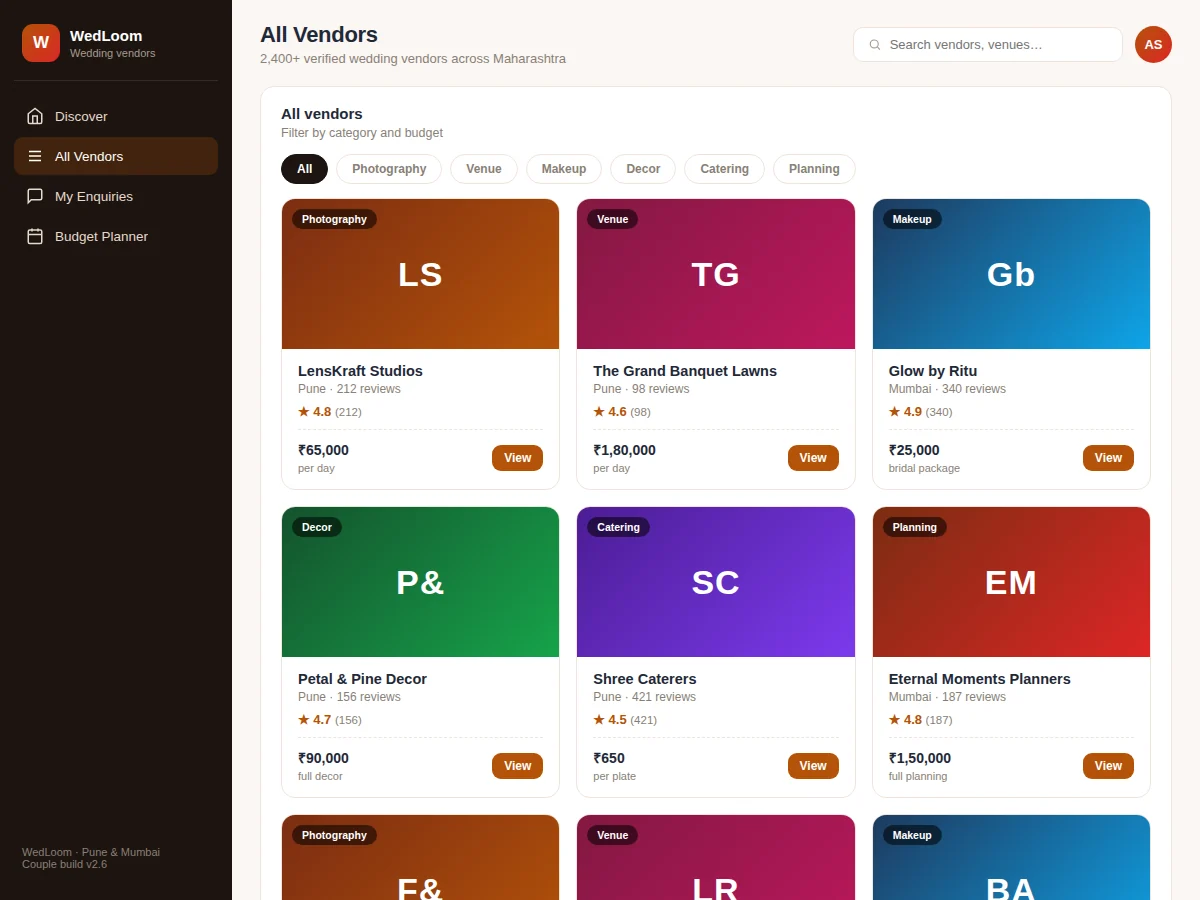
- A couple searches by need ("wedding photographer in Pune"), filters by category and budget, and browses vendor cards with ratings.
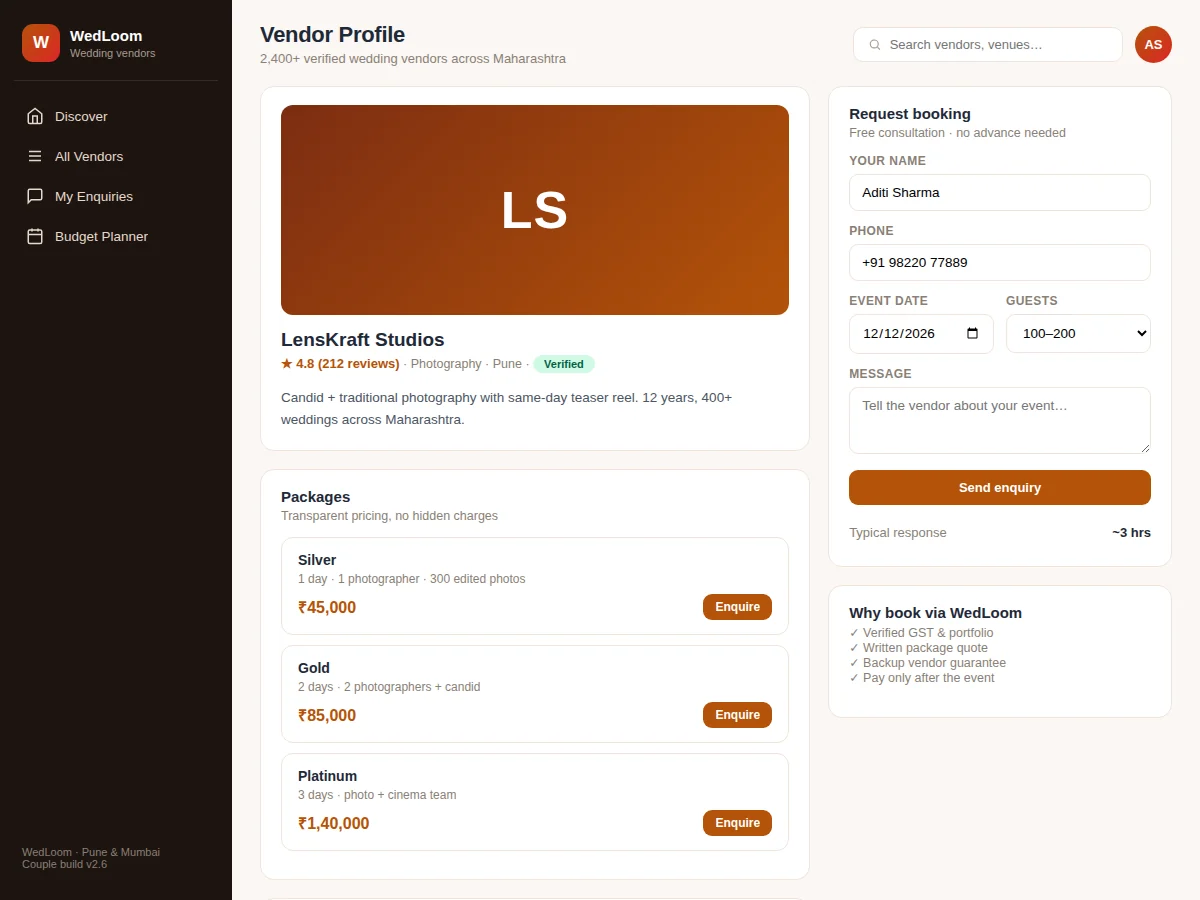
- Opening a profile shows packages, inclusions, reviews and response-time stats.
- The couple sends an enquiry with event date, guest count and a message — free, no advance needed.
- The vendor replies through the tracked thread; the enquiry status moves from sent to viewed to replied.
- When terms are agreed, the enquiry is marked booked and joins the couple's shortlist.
- The budget planner keeps total spend visible across categories as decisions accumulate.
Tech stack:
- HTML5 · CSS3 · JavaScript (ES6)
- Node.js · Express
- MySQL · relational schema design
- REST API architecture
- Responsive mobile-first UI
- Full-text search indexing
- Review aggregation logic
- Git · version control
| Parameter | Value |
|---|---|
| User roles | Couple, vendor and admin (design target) |
| Vendors supported | Thousands per region (expected) |
| Categories | 6 core wedding categories (extensible) |
| Search | Keyword + category + budget filters (design target) |
| Page load | Under ~2 s on broadband (design target) |
| Database | MySQL with migration scripts and seed data |
| Deployment | Shared hosting or VPS; no special hardware needed |
| Browsers | Modern Chrome, Firefox, Edge, Safari (expected) |
Project features
- [Vendor discovery] Search vendors by keyword, filter by category (photography, venue, makeup, decor, catering, planning) and budget band.
- [Verified vendor profiles] Profiles with ratings, review counts, city, service description and a verified badge for checked businesses.
- [Transparent package pricing] Every vendor lists packages with inclusions and prices — no "call for quote" black boxes.
- [Reviews from verified bookings] Star ratings and written reviews tied to actual enquiries, keeping feedback trustworthy.
- [Enquiry management] Couples send enquiries with event date, guest count and message; every enquiry is tracked as sent, viewed, replied or booked.
- [Budget planner] Enter a total budget and watch it split across categories by standard ratios, alongside the shortlisted vendors.
- [Vendor response tracking] Median response-time stats per vendor set honest expectations before the first message.
- [Shortlist dashboard] All enquired vendors in one table with their latest status — the couple's whole wedding in one view.
What is included
- Complete source code: couple frontend, vendor dashboard, backend API and database schema
- Database migration scripts with realistic seed data (vendors, packages, reviews, enquiries)
- Setup and deployment guide (local + shared hosting/VPS)
- Vendor onboarding guide
- Project report PDF (problem, design, schema, testing)
- PPT presentation for final review
- Viva Q&A preparation document
Limitations & prerequisites
- Payments between couples and vendors happen outside the platform; no escrow or payment gateway is included.
- Vendor "verification" in the demo is a badge workflow — real-world GST/document checks are an operational process, not code.
- Reviews are seeded as realistic samples; a production launch would need anti-fake-review moderation.
- Availability calendars are per-enquiry rather than a live shared calendar.
- The budget ratios are standard industry splits, adjustable — not financial advice.
- One region per deployment; multi-city scaling is future scope.
Frequently Asked Questions
How is this different from a listing website?
Listings show names and numbers. This is a transaction platform: packages with prices, tracked enquiries with statuses, verified reviews and a budget planner — the whole decision loop, not just discovery.
How do enquiries work?
The couple fills event date, guest count and a message. The enquiry is stored with a status (sent → viewed → replied → booked) visible to both sides, so nobody's message disappears into WhatsApp.
Are the reviews trustworthy?
Reviews can only be left against a completed enquiry thread, which the schema enforces. The demo ships with realistic seeded reviews to show the feature working.
Does money change hands on the platform?
No — deliberately. Wedding bookings involve site visits and negotiations; the platform handles discovery-to-agreement, and payment integration is documented as future scope.
Is this project suitable for a final-year project?
Yes — for Computer Science, IT and Web Development programs. It demonstrates two-sided marketplace design, search and filtering, review systems and enquiry state machines — strong, modern web-development concepts. Suitable for B.E./B.Tech final-year projects in Computer Science, IT and Web Development.
Components & software requirements
- HTML5 · CSS3 · JavaScript (ES6)
- Node.js · Express
- MySQL · relational schema design
- REST API architecture
- Responsive mobile-first UI
- Full-text search indexing
- Review aggregation logic
- Git · version control
Delivery information
Built-to-order project. Delivery timeline is shared after order confirmation based on current queue.
Support terms
Complete documentation, setup guide, and viva preparation included. Support for setup and explanation provided.