
More project photos (2)
The problem
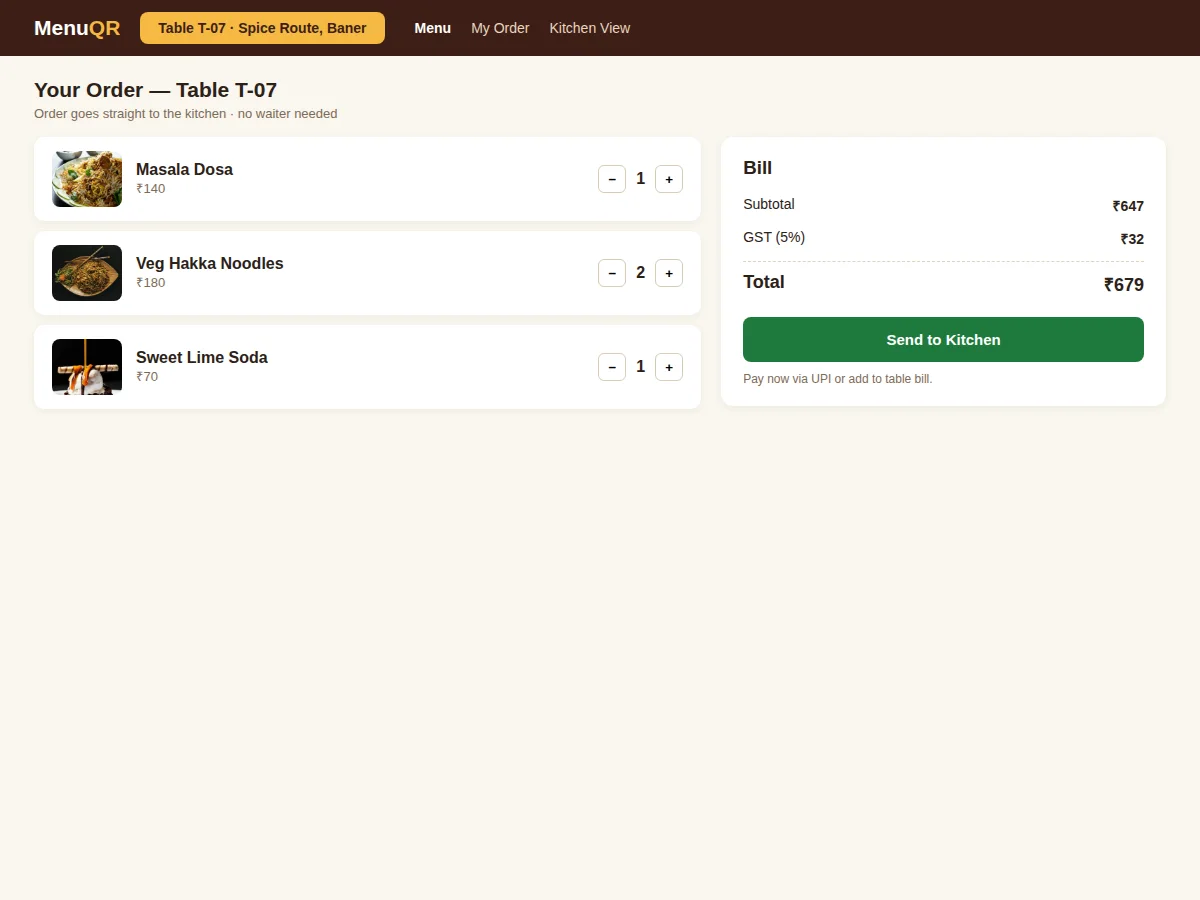
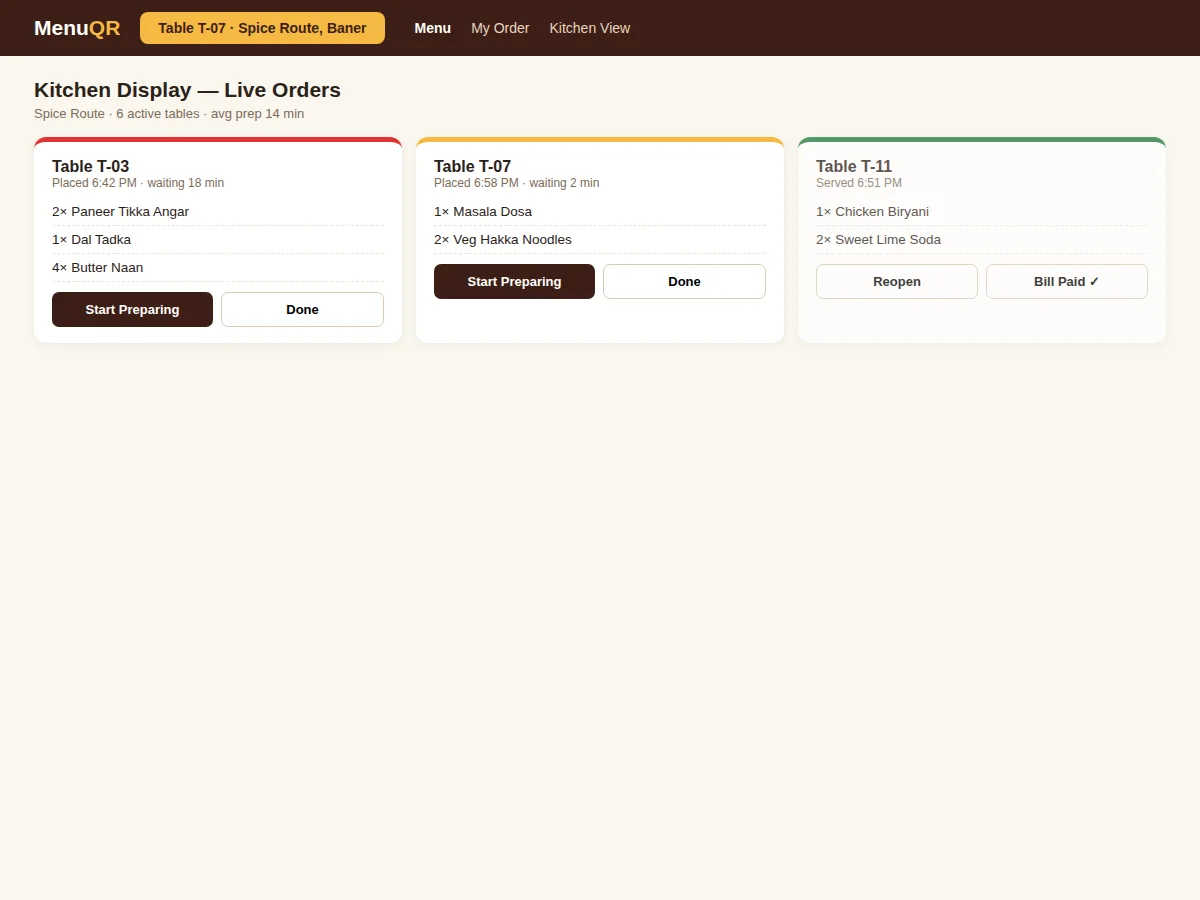
Restaurant tables still depend on printed menus — expensive to reprint, impossible to update for sold-out dishes — and on waiters ferrying orders to the kitchen, where paper tickets get lost and priorities blur at rush hour. Diners wait to be noticed; kitchens work from shouted instructions. This project replaces paper with a QR-bound digital flow: scanning the table code opens a mobile-first menu (a progressive web app, no install) already scoped to that table; diners browse with photos and prices, build a cart and send the order directly to the kitchen display. The kitchen sees live tickets with running timers and urgency highlighting, fires and completes them, and the table bill aggregates every order with GST for UPI or cash settlement. Menu updates propagate to all tables instantly — no reprints, ever.
How it works
- A diner scans the table QR; the menu opens already scoped to that table's session.
- They browse categories, add dishes to the cart and tap Send to Kitchen.
- The order lands on the kitchen display as a live ticket with a running timer.
- The kitchen starts preparation and marks items done; the captain's view tracks status.
- Sold-out dishes are flagged in one tap and disappear from all menus instantly.
- The table bill aggregates every order with GST; the diner pays via UPI or settles cash, closing the session.
Tech stack:
- Angular 17 progressive web app
- Node.js + Express REST API
- MongoDB (menu, tables, orders, bills)
- Socket.io for live kitchen tickets
- QR code generation per table
- GST-inclusive billing module
- Token-based table sessions
| Parameter | Value |
|---|---|
| Client requirement | Any smartphone browser (no install) |
| Kitchen display | Any tablet/TV with a browser |
| Ticket latency | Sub-second push on local network (design target) |
| Table session | QR-bound; closes on bill settlement |
| GST | 5% configurable per category |
| Deployment | Self-hosted; works on restaurant LAN |
Project features
- [Per-table QR codes] System-generated QR standees binding each menu session to its table number.
- [No-install digital menu] Mobile-first PWA with categories, photos, veg/non-veg marks, prices and sold-out flags — opens in the browser.
- [Order-to-kitchen flow] Table cart sends orders directly to the kitchen display over WebSockets; no waiter needed.
- [Kitchen display system] Live tickets with elapsed-time urgency highlighting, start/complete states and one-tap sold-out flags.
- [Table billing] Open orders aggregate into a GST bill per table, payable by UPI, card or cash.
- [Instant menu updates] Price, item and availability changes reflect on every table immediately.
- [Admin panel] Menu management, table/QR management and sales reports.
What is included
- Complete source code (Angular PWA, Express API, KDS screen, seed menu)
- QR generation and table-session documentation
- Setup guide (local run, QR printing, LAN deployment notes)
- Project report PDF (background, real-time ticket design, PWA approach, testing notes)
- PPT presentation for final review
- Viva Q&A preparation document (PWAs, WebSockets, QR flows, restaurant domain)
Limitations & prerequisites
- Diners need a smartphone with a camera and internet/data to scan and order.
- UPI collection uses the restaurant's own QR/account; the system records the settlement.
- The demo runs on one property; multi-branch management is future scope.
- Kitchen display needs a dedicated screen; the build does not include hardware.
- Printer integration for kitchen tickets is optional and not included.
- Offline operation is limited — the PWA needs connectivity to send orders.
Frequently Asked Questions
Does the diner need to install an app?
No — the QR opens a progressive web app directly in the phone browser, already tied to the table.
How does the kitchen know an order arrived?
Orders push over WebSockets to the kitchen display instantly as new tickets with running timers; ageing tickets highlight in red.
What if a dish sells out mid-service?
The kitchen flags it in one tap and it disappears from every table's menu immediately.
How is the bill split?
The bill aggregates all orders on the table session; settlement can be full-table or per-order as configured.
Can the menu show photos?
Yes — menu items support photos, and the admin uploads them from the panel.
Is this project suitable for a final-year project?
Yes — for Computer Science, IT and related programs. It demonstrates PWA development, real-time systems, QR-based session binding and hospitality workflows. Suitable for B.E./B.Tech final-year projects in Computer Science, IT and Web Development.
Components & software requirements
- Angular 17 progressive web app
- Node.js + Express REST API
- MongoDB (menu, tables, orders, bills)
- Socket.io for live kitchen tickets
- QR code generation per table
- GST-inclusive billing module
- Token-based table sessions
Delivery information
Built-to-order project. Delivery timeline is shared after order confirmation based on current queue.
Support terms
Complete documentation, setup guide, and viva preparation included. Support for setup and explanation provided.