
More project photos (2)
The problem
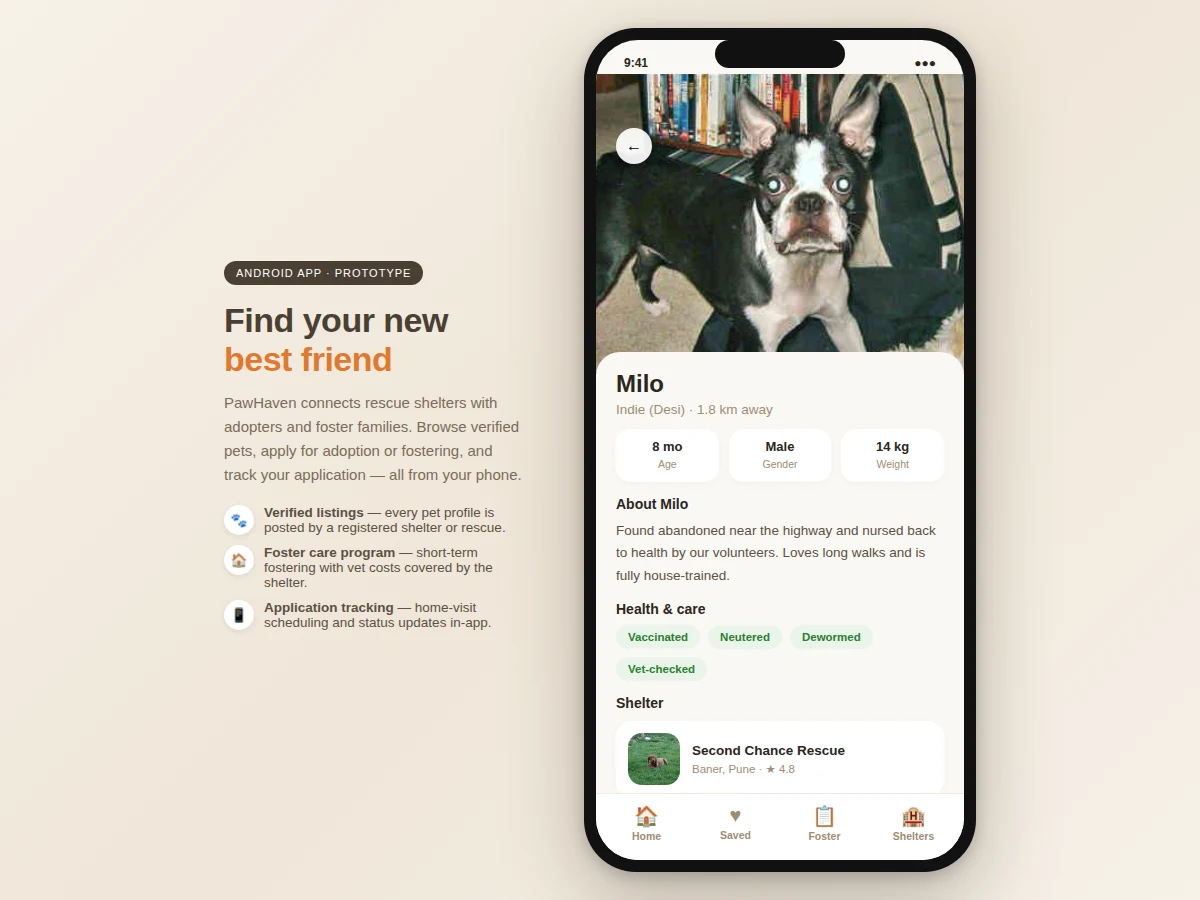
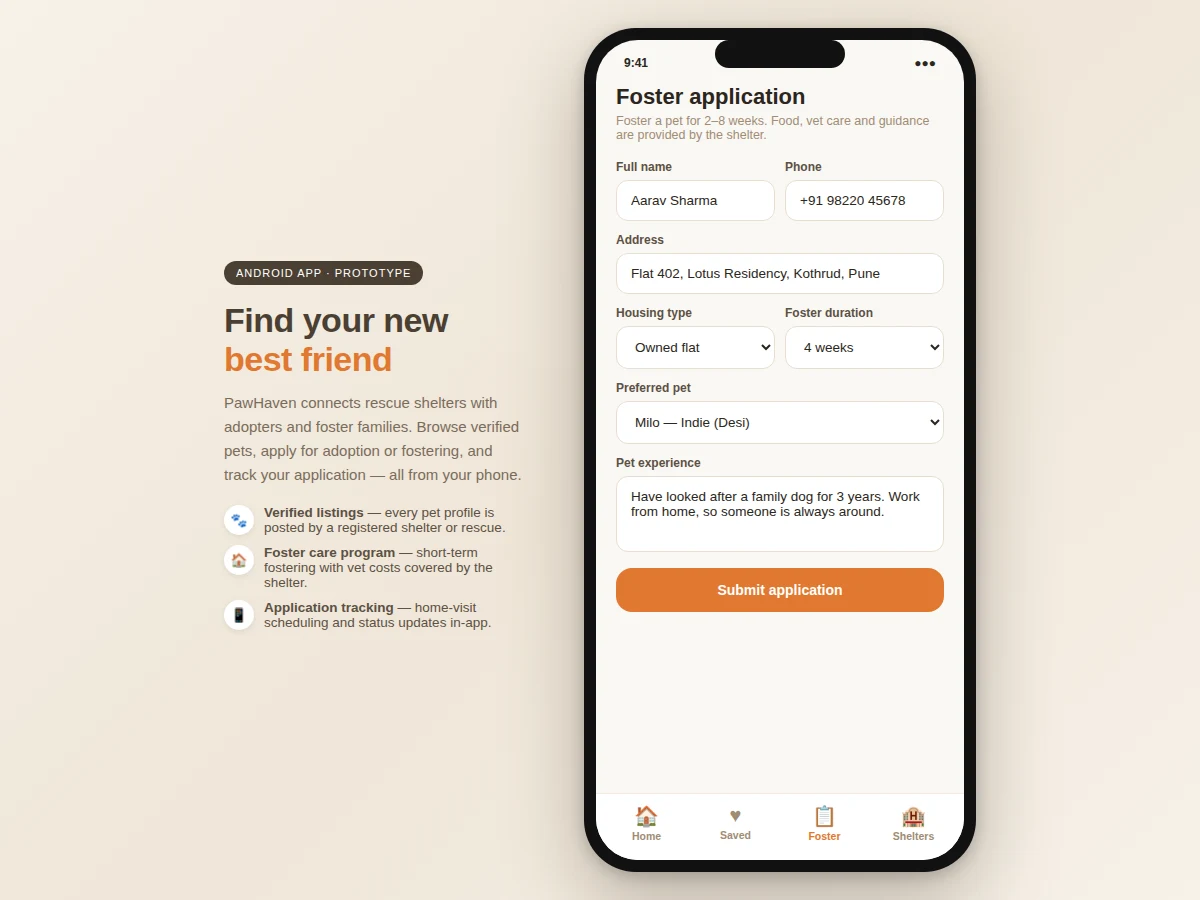
Animal shelters still coordinate adoptions over phone calls, social-media posts and paper forms. Listings go stale, applications get lost in chat threads, and foster volunteers — the people who house animals between rescue and adoption — are managed on spreadsheets if at all. Adopters, meanwhile, have no single place to discover animals near them or track where their application stands. This project builds PawHaven, a native Android app that puts the whole workflow in one place: shelters onboard and publish rich pet profiles, adopters browse with filters and submit screening applications, and volunteers register for fostering with availability calendars. A shelter-side dashboard moves each application through review, home-visit scheduling and approval, while in-app messaging replaces the scattered WhatsApp threads. Push notifications alert adopters to status changes and foster volunteers to urgent placements. The architecture is a standard modern-Android stack — Kotlin, Jetpack (Room, Navigation, ViewModel), Retrofit and Firebase — so the codebase reads like production app code, not a tutorial clone.
How it works
- A shelter registers, completes verification, and creates its profile with location and contact details.
- Shelter staff add pet profiles — photos, breed, age, medical records — which appear in the adopter browse feed immediately.
- An adopter creates an account, filters the feed, saves favourites, and submits an adoption application with the screening questionnaire.
- The shelter dashboard lists incoming applications per pet; staff advance each through review stages and schedule home visits from the app.
- Both parties coordinate over in-app messaging; the adopter receives push updates at every stage change.
- On approval, the pet's status flips to Adopted and the listing is archived; post-adoption follow-up reminders are scheduled.
- In parallel, foster volunteers set availability; shelters issue foster placements for animals awaiting adoption and track their return.
Tech stack:
- Kotlin, Android SDK with Jetpack (Navigation, ViewModel, Room)
- Material 3 design components
- Retrofit + Kotlin Coroutines (networking)
- Firebase Authentication (phone/email)
- Cloud Firestore (listings, applications, chat)
- Firebase Cloud Messaging (push notifications)
- Coil (image loading) · Google Maps SDK (shelter locations)
| Parameter | Value |
|---|---|
| Platform | Android 8.0 (API 26) and above (expected) |
| Architecture | MVVM with Repository pattern |
| Local database | Room, for offline-first favourites and drafts (expected) |
| Backend | Cloud Firestore with security rules per role |
| Image handling | Compressed uploads, cached with Coil (expected) |
| Notifications | FCM topics per shelter + per-user tokens |
| Build output | Debug APK + signed release APK (built-to-order) |
| Demo dataset | 14 pet profiles, 4 shelters (included) |
Project features
- [Shelter & NGO onboarding] Verified shelter accounts with profile pages, contact details and location, so listings carry provenance instead of anonymous posts.
- [Rich pet profiles] Photo galleries, breed, age, gender, size, vaccination status, sterilisation and health notes — the fields shelters actually need, editable from the shelter dashboard.
- [Adoption application workflow] Structured applications (housing type, experience, household members) move through Applied → Under review → Home visit → Approved/Rejected, visible to both sides.
- [Foster program management] Volunteers register availability and capacity; shelters match urgent placements and track foster start/end dates per animal.
- [In-app messaging] Adopter–shelter chat threads scoped to a pet or an application, replacing scattered external chat apps.
- [Smart search & filters] Filter by species, age group, size, gender and distance; saved searches and favourite pets with status-change alerts.
- [Push notifications] Application status changes, new pets matching saved searches, and urgent foster requests delivered via FCM.
What is included
- Complete Kotlin Android source code (single Gradle project)
- Firestore data model, indexes and security rules
- Debug APK for testing on a real device
- Seed dataset: shelters, pets, sample applications and chats
- Project report PDF (problem analysis, architecture, schema design, screens, testing)
- PPT presentation for final review
- Viva Q&A preparation document (MVVM, Firestore rules, FCM, Room caching)
- Build and Firebase setup guide
Limitations & prerequisites
- Ships with a demo dataset; real shelter onboarding and verification are operational steps for deployment, not code.
- Identity/background verification of adopters is intentionally manual — the app collects the data, humans decide.
- Payment or adoption-fee collection is out of scope; no payment gateway is integrated.
- Maps features need a Google Maps API key, which is a buyer-side credential.
- Chat is text-only in this build; voice/video calls are listed as future scope.
Frequently Asked Questions
How do shelters and adopters each use the app?
Shelters get a dashboard to publish pets and process applications through review stages. Adopters get a browse feed with filters, favourites, applications and chat. Role selection at sign-up loads the correct home screen.
Why Firebase instead of a custom backend?
Firestore gives real-time sync for chat and application status, phone auth out of the box, and security rules that map cleanly to the three roles — a defensible architecture choice for a mobile-first final-year build.
Does the app work offline?
Partially: Room caches pet listings, favourites and message drafts, and pending writes sync when connectivity returns. Image uploads and real-time chat need a connection.
How are foster placements tracked?
Volunteers set availability windows; shelters create placements linking a pet, a volunteer and start/end dates. The dashboard shows active fosters and flags overdue returns.
Can two shelters list the same animal?
Each pet profile is owned by exactly one shelter account, and Firestore rules enforce that only the owning shelter can edit it — preventing duplicate or conflicting listings.
Is this project suitable for a final-year project?
Yes — for Computer Science, IT and related programs. It demonstrates mobile architecture (MVVM), a real cloud backend with role-based rules, non-trivial workflow state machines and a socially meaningful problem. Suitable for B.E./B.Tech final-year projects in Computer Science, IT and related programs.
Components & software requirements
- Kotlin, Android SDK with Jetpack (Navigation, ViewModel, Room)
- Material 3 design components
- Retrofit + Kotlin Coroutines (networking)
- Firebase Authentication (phone/email)
- Cloud Firestore (listings, applications, chat)
- Firebase Cloud Messaging (push notifications)
- Coil (image loading) · Google Maps SDK (shelter locations)
Delivery information
Built-to-order project. Delivery timeline is shared after order confirmation based on current queue.
Support terms
Complete documentation, setup guide, and viva preparation included. Support for setup and explanation provided.