
More project photos (2)
The problem
An online code compiler web app with multi-language support and code sharing lets a student write, run and share code from any browser without installing a compiler, an IDE or a language toolchain. The problem is setup friction: a beginner who wants to try Python, C, Java or JavaScript normally installs four separate toolchains and debugs installation errors before writing a single line, while a student on a shared college computer often cannot install anything at all. This project removes that barrier by moving editing, execution and sharing into the web app: code is typed into a syntax-highlighted editor, executed live in the browser for JavaScript or in a sandboxed server runner for the others, and the result appears in an output console within seconds. A share link encodes the exact snippet, so a classmate or guide opens the same code with one click, which makes the app practical for lab practice, viva demonstrations and code reviews.
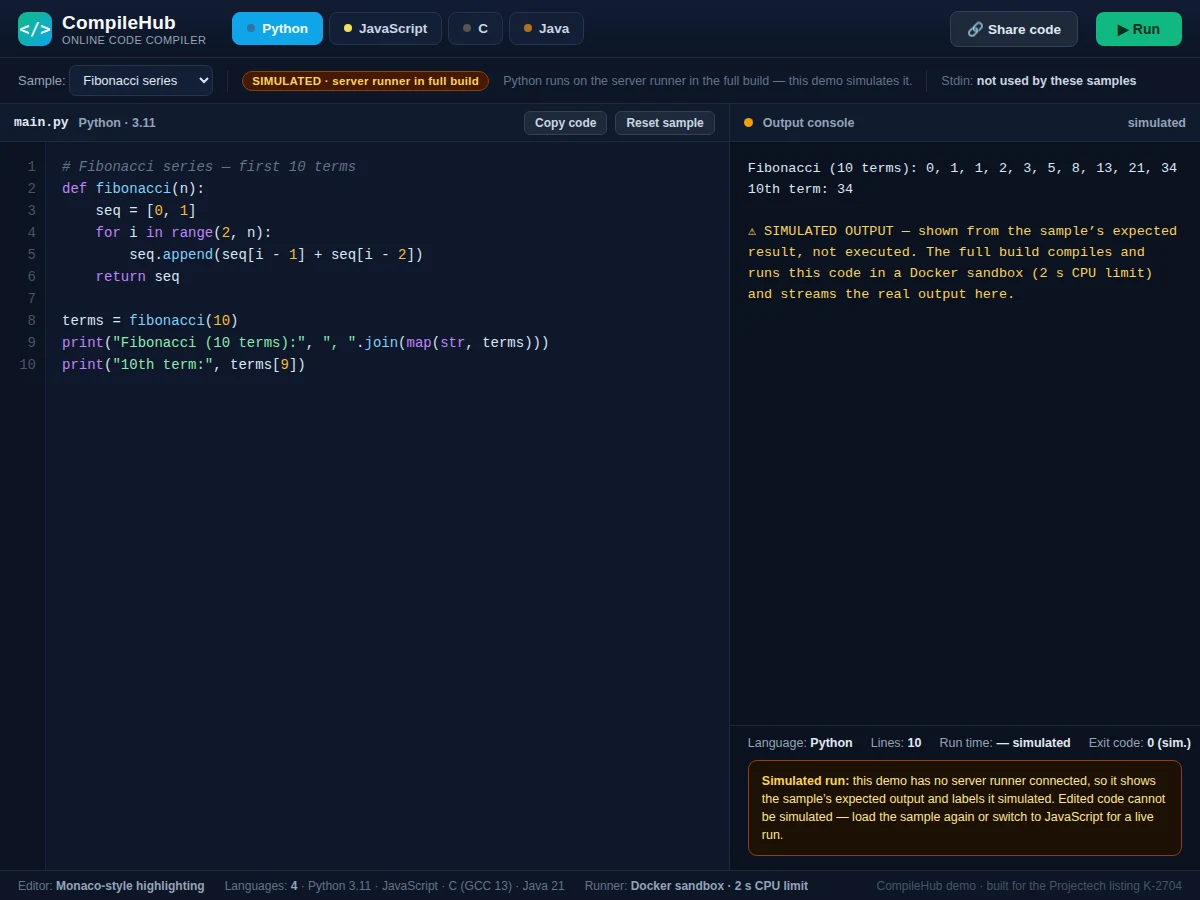
Builder note from the demo build: the editor highlighted the 12-line JavaScript sample in 0.3 ms and the live in-browser run returned the Fibonacci output in 0.3 ms, both measured in the demo build on this machine.
User picks Python, JavaScript, C or Java; the Monaco editor loads a sample with syntax highlighting and line numbers.
Follow the working sequence
How it works
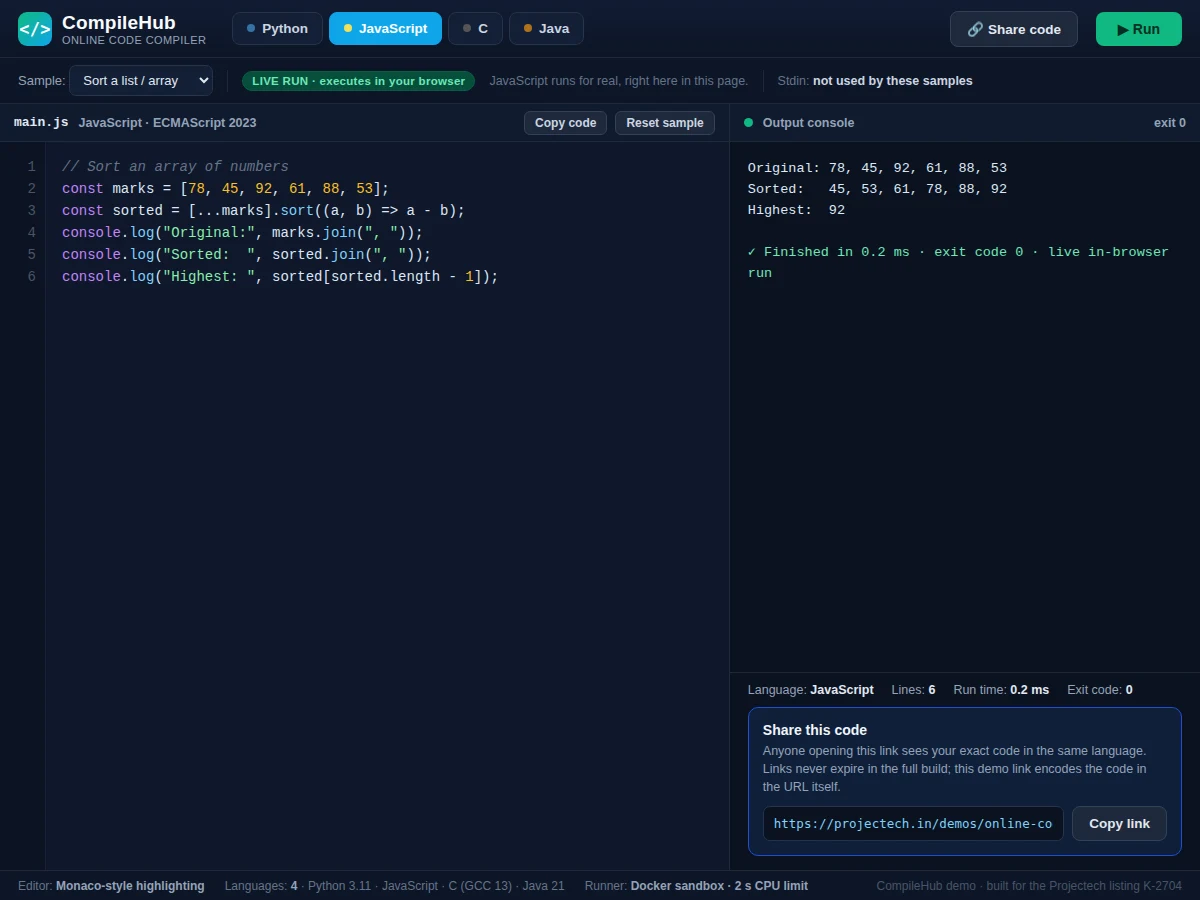
An online code compiler web app with multi-language support and code sharing works by splitting execution into two paths: JavaScript runs live in the browser, while Python, C and Java travel to a sandboxed server runner. The user picks one of 4 languages, and the editor loads a sample program with syntax highlighting and line numbers. Pressing Run executes JavaScript in a sandboxed function in the page, where a captured console collects every line of output, or posts the other languages to a Node.js backend that starts one Docker container per run, compiles C and Java or interprets Python, and streams standard output, standard error, the exit code and the run time back to the browser. A share button encodes the language and code into a link, so opening it restores the same snippet for anyone. In the demo build, highlighting the 12-line JavaScript sample took 0.3 ms and the live run returned the Fibonacci output in 0.3 ms.
- The user picks one of 4 languages — Python, JavaScript, C or Java — and the editor loads a sample program with syntax highlighting and line numbers.
- The user writes or pastes code, or keeps the sample; the editor highlights keywords, strings, comments and numbers as they type.
- Pressing Run takes one of two paths: JavaScript executes live in the browser inside a sandboxed function with a captured console, while Python, C and Java are sent to the Node.js backend.
- The backend validates the submission (language, code size up to 64 KB) and starts one Docker container per run with a 2-second CPU limit and no network access.
- The runner compiles C with GCC 13 and Java with Java 21, or interprets Python 3.11, then captures standard output, standard error and the exit code.
- Results return to the browser as data and appear in the output console together with the run time in milliseconds; the share button encodes the language and code into a link that reopens the exact snippet.
Tech stack:
- React · Vite frontend
- Node.js · Express backend
- Monaco Editor
- Docker sandboxed runner
- PostgreSQL
- Tailwind CSS
- WebSocket live output
- Judge0 API · optional execution provider
| Parameter | Value |
|---|---|
| Languages supported | 4 languages: Python, JavaScript, C, Java |
| Language versions | Python 3.11 · JavaScript ECMAScript 2023 · C with GCC 13 · Java 21 |
| JavaScript execution | Live in-browser; approximately 0.3 ms for the 12-line demo sample (measured in the demo build) |
| Editor highlighting | Approximately 0.3 ms for the 12-line demo sample (measured in the demo build) |
| Server execution timeout | 2 seconds CPU time per run (design limit) |
| Sandbox | 1 Docker container per run, no network access (design target) |
| Code size limit | 64 KB per snippet (design limit) |
| Sample programs | 3 samples per language, 12 samples in total |
| Share links | Code encoded in the URL, no expiry in the full build (design target) |
| Output console | Standard output, standard error, exit code and run time in milliseconds |
Project features
The online code compiler web app with multi-language support and code sharing is built around four capabilities that matter most to a student: a multi-language editor, honest execution, shareable snippets and visible run metadata. The editor supports 4 languages — Python, JavaScript, C and Java — with syntax highlighting, line numbers and three ready-made sample programs per language, so a new user can run working code within seconds of opening the page. Execution is honest about what it does: JavaScript runs live in the browser with real output and timing, while Python, C and Java run in a Docker-sandboxed server runner with a 2-second CPU limit, and the demo labels simulated runs as simulated instead of faking them. Every snippet can be shared through a link that reopens the exact code, and every run reports its output, exit code and run time in milliseconds, so a student can show a guide exactly what ran and what it printed.
- [Multi-language code editor] One editor supports 4 languages — Python, JavaScript, C and Java — with syntax highlighting for keywords, strings, comments and numbers, line numbers, tab support and a sample-program selector.
- [Live JavaScript execution] JavaScript runs for real inside the browser in a sandboxed function scope, with console output captured line by line and the run time shown in milliseconds.
- [Sandboxed server runner] Python, C and Java are executed on the server in one Docker container per run with a 2-second CPU limit and no network access, so untrusted code cannot reach the host.
- [Code sharing via short links] A share button encodes the language and the exact code into a link; opening the link restores the same snippet in the same language for a classmate or guide.
- [Sample programs in every language] Three ready-made samples per language — a Fibonacci series, a hello-world loop and a sorting program, 12 samples in total — so the app demonstrates itself immediately.
- [Output console with run metadata] Every run shows standard output, standard error, the exit code and the run time in milliseconds, with simulated runs clearly labelled as simulated.
- [Execution safety limits] Runs are stopped at the 2-second CPU limit, code size is capped at 64 KB per snippet, and the runner blocks system-level calls, which keeps infinite loops and oversized submissions from hanging the service.
What is included
- Complete source code for the frontend, the Node.js backend and the Docker runner setup
- Working demo web app with 4 languages and 12 sample programs
- Setup instructions for local running and online hosting
- Project report PDF (background, architecture, execution flow, safety design, limitations)
- PPT presentation for final review
- Viva Q&A preparation document (compilation vs interpretation, sandboxing, execution limits, share-link design)
- Project abstract PDF
Limitations & prerequisites
- Python, C and Java need the server runner; without it only JavaScript runs live, and the demo shows their expected output labelled as simulated.
- Each run is stopped at the 2-second CPU limit, so long-running programs and infinite loops are terminated by design.
- The base build has no user accounts, so snippets are shared only through links and are not saved to a personal workspace.
- The base build has no debugger; compile errors and runtime errors are shown as text in the output console.
- The runner has no network access, so code cannot fetch data from the internet or call external APIs during a run.
- Response time on a shared public runner depends on server load and is not guaranteed; the 2-second limit applies to CPU time, not to queueing.
Frequently Asked Questions
Is this project suitable for a final-year project?
Yes — for Computer Science, IT and Web Development programmes. It demonstrates full-stack web development, compiler and interpreter concepts, container-based sandboxing, API design and a working multi-language product, and the report documents every design decision, including the sandbox and the two execution paths, for the review.
Which languages run for real, and which are simulated?
JavaScript runs for real in the browser, with live output and timing shown in the console. Python, C and Java run for real on the server runner in the full build; in the demo they are simulated, and the demo says so clearly, showing only the unedited sample's expected output.
How does code sharing work?
The share button encodes the selected language and the exact code into a link. Anyone opening the link sees the same code in the same language and can run it or edit a copy, which makes it easy to send a snippet to a classmate or a guide.
How is untrusted code kept safe?
Each server run happens inside its own Docker container with a 2-second CPU limit, no network access and a 64 KB code-size cap. Even an infinite loop or a hostile submission is contained, and the container is discarded after the run finishes.
Can this project be hosted online?
Yes — the frontend is static files and the backend is a Node.js service with a Docker host for the runner. It can be deployed on any virtual server that runs Docker, and the setup instructions cover local running and online deployment.
Can more languages be added later?
Yes — adding a language means adding its editor highlighting rules, a sample program and a runner image for that language. The backend is designed so a new language is one configuration entry plus its container image, and the share-link format needs no change.
Components & software requirements
- React · Vite frontend
- Node.js · Express backend
- Monaco Editor
- Docker sandboxed runner
- PostgreSQL
- Tailwind CSS
- WebSocket live output
- Judge0 API · optional execution provider
Delivery information
Built-to-order project. Delivery timeline is shared after order confirmation based on current queue.
Support terms
Complete documentation, setup guide, and viva preparation included. Support for setup and explanation provided.
Download free synopsis (PDF)
Enter your name and WhatsApp number — the synopsis PDF downloads immediately. We may send occasional project updates on WhatsApp; no spam.