
More project photos (2)
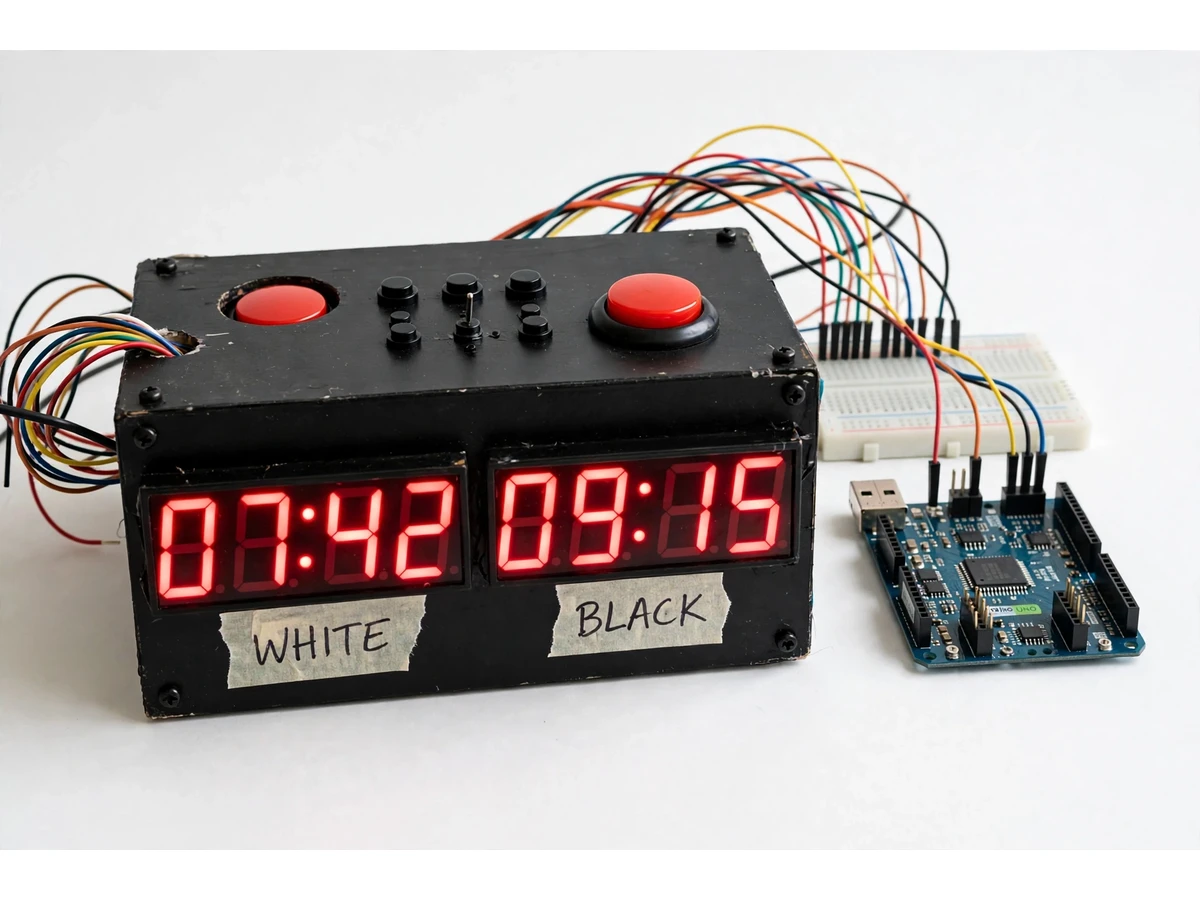
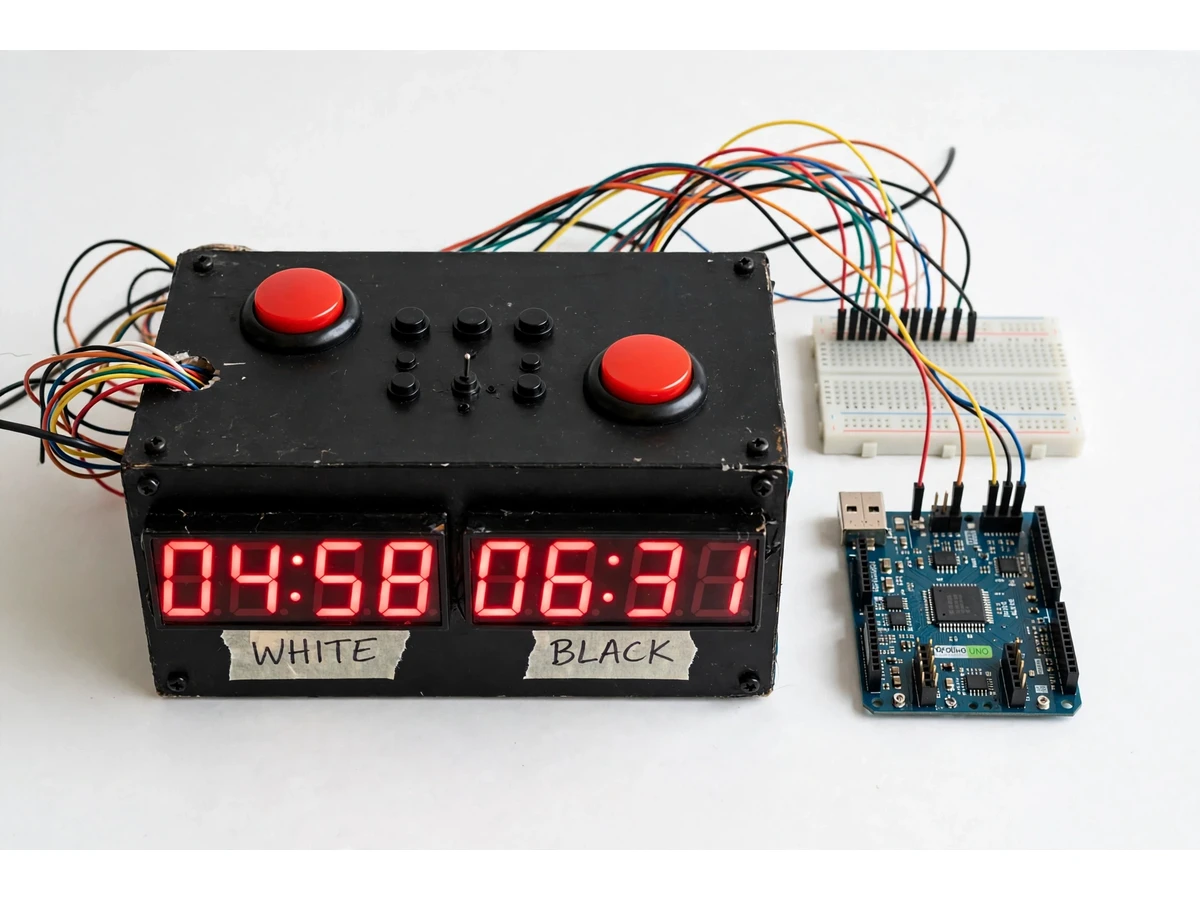
The problem
A chess clock is a pair of countdown timers that gives each player a fixed amount of thinking time for the whole game, and this project builds one using an Arduino Uno and two 4-digit 7-segment displays, one display per player. Ordinary clocks and phone apps cannot fairly referee a timed chess game: a wall clock measures elapsed time for both players together, and a phone app depends on a charged battery, a touchscreen and software the players cannot inspect. This Arduino chess clock solves that by keeping two independent countdowns in hardware: only the player whose turn it is loses time, a press of the large button after a move stops one timer and starts the other, and the buzzer plus a flashing display marks flag fall the instant a timer reaches zero. Configurable time controls cover sudden death, Fischer increment and delay modes, so the same unit serves blitz, rapid and casual games at clubs and colleges.
Two players share one clock; each has a large button on their side.
Follow the working sequence
How it works
The game begins with both players' clocks loaded with the same base time, for example 10 minutes each, and both displays showing 10:00. White presses the start button and Black's clock starts counting down while White's stays frozen, because White moves first. After making a move, the player presses the large button on their side; the firmware stops their timer, adds the increment to their remaining time when increment mode is selected, and starts the opponent's timer in the same step. The Arduino updates each display once per second using millis-based timing, multiplexing the eight digits so both clocks always show the current remaining time. The loop repeats move after move until one timer reaches zero: the buzzer sounds, the flagged player's display flashes, and both timers freeze so the result can be read. Either player can pause the game with the pause button, and the reset button restores the selected time control for the next game.
- Players select the base time and mode — sudden death, Fischer increment or delay — with the control buttons; both displays show the chosen setting for confirmation.
- The start button begins the game by starting the clock of the player who moves second, so the first player loses no time before the opening move.
- The Arduino decrements the active player's remaining seconds once per second using millis-based timing; the idle player's timer stays frozen.
- After moving, the player presses the large button on their side; the firmware stops their timer, adds the increment when configured, and starts the opponent's timer.
- Both displays refresh by multiplexing: each of the eight digits is lit in turn many times per second, so both remaining times appear continuously lit.
- When a timer reaches zero, the buzzer sounds, that player's display flashes and both timers freeze; the pause button halts both timers and reset restores the time control.
Tech stack:
- Arduino Uno (ATmega328P)
- Arduino IDE · C/C++
- TM1637 4-digit 7-segment display × 2
- Arcade push buttons · buzzer
- Breadboard · jumper wires
- 5 V USB power supply
- Toggle switch · control buttons
- ABS enclosure · mounting hardware
| Parameter | Value |
|---|---|
| Controller | Arduino Uno, ATmega328P at 16 MHz (datasheet value) |
| Displays | 2 × TM1637 4-digit 7-segment modules, 8 digits total |
| Time format | MM:SS on each display |
| Base time range | 1–99 minutes (configurable, design range) |
| Increment range | 0–30 seconds per move (configurable, design range) |
| Delay range | 0–30 seconds per move (configurable, design range) |
| Player inputs | 2 × large arcade buttons, 3 × control buttons, 1 × toggle switch |
| Timing resolution | 1 second (design value) |
| Button debounce | 50 ms window (design value) |
| Flag-fall signal | Buzzer plus flashing display |
| Power | 5 V via USB, or 7–12 V adapter input (datasheet range) |
| Connectivity | None — fully offline operation |
Project features
At its core this chess clock offers four capabilities that matter in a real game: two independent countdown timers that never run together, a single-press player switch fast enough for blitz, configurable time controls covering the formats clubs actually play, and an unmistakable flag-fall signal. The Arduino keeps one timer frozen while the other counts down in one-second steps, and the multiplexed 7-segment displays keep both remaining times visible at all times. A player ends a turn by pressing the large button on their side, which stops their own clock and starts the opponent's in the same firmware step, so no time leaks between the two clocks. Before a game the players select the base time and the increment or delay through the small control buttons, and the chosen setting is shown on both displays for confirmation. When either timer reaches zero the buzzer sounds and that player's display flashes, leaving no argument about who flagged.
- [Dual independent countdown timers] Two separate timers, one per player, held in the Arduino's memory; only the active player's timer decrements while the other stays frozen.
- [One-press player switch] Two large arcade buttons, one per side; pressing your button after a move stops your timer and starts your opponent's in the same firmware step.
- [Configurable time controls] Base time, Fischer increment and delay are all settable from the control buttons before a game, covering sudden death, blitz and rapid formats.
- [Flag-fall alarm] When a timer reaches zero the buzzer sounds and that player's display flashes while both timers freeze, so the result is unambiguous.
- [Dual 7-segment displays] Two TM1637 4-digit modules show both remaining times in MM:SS at all times, multiplexed by the Arduino so all eight digits appear continuously lit.
- [Pause and reset controls] A pause button freezes both timers for interruptions, and the reset button restores the selected time control for the next game.
- [Fully offline operation] No Wi-Fi, phone or computer is needed during a game; the clock runs from a 5 V USB supply or a 9 V adapter.
What is included
- Assembled working chess clock prototype in enclosure
- Arduino firmware source code with comments
- Circuit and wiring documentation with component list
- Time-control setup and operating guide
- Project report PDF (background, design, methodology, results)
- PPT presentation for final review
- Viva Q&A preparation document (timers, multiplexing, debouncing, time controls)
Limitations & prerequisites
- 1-second display resolution; sub-second timing is not shown, so very fast finishes are judged at whole-second granularity.
- No move counter and no record of the game score or move history.
- Arduino millis-based timing drifts slightly over long games; this is an academic prototype, not a FIDE-certified tournament clock.
- Increment and delay values are set before the game and cannot be changed mid-game.
- Bright red LED displays lose readability in direct sunlight.
- No battery-level indicator; a 9 V battery is a backup supply, not the primary power source.
Frequently Asked Questions
How does a chess clock work in a game?
A chess clock gives each player their own countdown timer, and only the player whose turn it is loses time. After making a move, the player presses the button on their side, which stops their own timer and starts the opponent's. If your timer reaches zero before you checkmate or your opponent runs out of time, you lose on time — this is called flag fall. This project implements exactly that behaviour in hardware with an Arduino.
Which time controls does this clock support?
Three modes are configurable before a game: sudden death, where each player simply gets a fixed time; Fischer increment, where a fixed number of seconds is added after every move; and delay, where the countdown waits a few seconds before starting on each turn. The base time is settable from 1 to 99 minutes and the increment or delay from 0 to 30 seconds, so blitz, rapid and casual formats are all covered.
Which controller and displays are used, and why?
An Arduino Uno (ATmega328P) runs the firmware because it has enough digital pins and timers for two displays and six buttons while staying simple to program and explain in a viva. Two TM1637 4-digit 7-segment modules show the remaining time, one per player, and need only two wires each, which keeps the wiring tidy. A buzzer and large arcade buttons complete the player interface.
Does it need internet or a phone to work?
No, the clock is fully offline: the Arduino, displays, buttons and buzzer form a self-contained unit that runs from a 5 V USB supply or a 9 V adapter, with no Wi-Fi, Bluetooth or companion app involved in the game at all. It therefore works in any tournament hall or classroom without connectivity.
Can the time controls be changed for different game formats?
Yes, the time controls are changed from the control buttons before a game starts: the buttons step through the base time and the increment or delay value, and both displays show the selected setting for confirmation, with no code change or re-upload needed. Changing the format takes seconds, so the same unit can run a 5-minute blitz game and a 10-minute rapid game back to back.
Is this project suitable for a final-year project?
Yes — this project suits Electronics & Telecommunication, Electrical and Computer Engineering programs, because it demonstrates embedded C programming, timer handling, 7-segment display multiplexing, switch debouncing and a complete documented hardware prototype, all of which give a viva examiner concrete design decisions to discuss. The report, PPT and Q&A documents in the viva kit cover each of those topics in turn.
Components & software requirements
- Arduino Uno (ATmega328P)
- Arduino IDE · C/C++
- TM1637 4-digit 7-segment display × 2
- Arcade push buttons · buzzer
- Breadboard · jumper wires
- 5 V USB power supply
- Toggle switch · control buttons
- ABS enclosure · mounting hardware
Delivery information
Built-to-order project. Delivery timeline is shared after order confirmation based on current queue.
Support terms
Complete documentation, setup guide, and viva preparation included. Support for setup and explanation provided.
Download free synopsis (PDF)
Enter your name and WhatsApp number — the synopsis PDF downloads immediately. We may send occasional project updates on WhatsApp; no spam.