
More project photos (2)
The problem
A few seconds of someone's voice is now enough for a neural model to speak arbitrary new sentences in a similar style — a capability with genuine uses in accessibility, personal assistants and creative media, and equally genuine misuse potential. Tortoise TTS made this capability open-source: it conditions synthesis on a short reference clip without any per-speaker training. This project turns that into a complete, honest student demo — reference upload with a quality check, a consent gate before synthesis, text-to-speech generation, and a comparison view that puts the original and cloned waveforms side by side with a computed similarity score. Nothing about quality is pre-claimed: cloning fidelity depends on the reference clip, and the comparison view exists precisely so the student can measure and discuss it. The ethics framing is part of the deliverable, not an afterthought.
How it works
- The user uploads a 10–30 second reference clip; the quality checker verifies duration, clipping and noise level.
- The user completes the consent declaration, which unlocks the synthesis stage and logs the declaration.
- The reference clip is preprocessed and its voice characteristics are extracted as conditioning for Tortoise TTS.
- Entered text is synthesized autoregressively in the reference voice style, then rendered to audio through the model's vocoder stage.
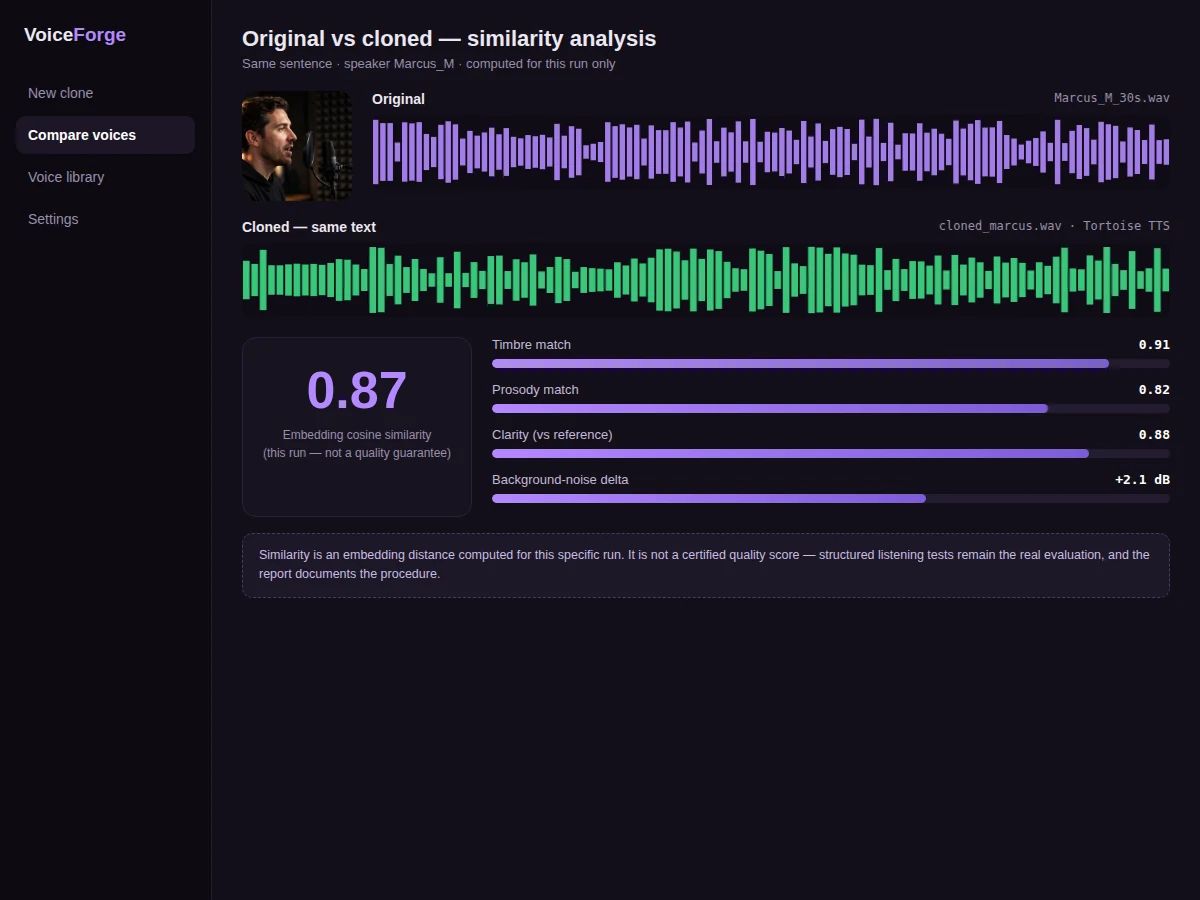
- The comparison view aligns the original and cloned waveforms and computes an embedding cosine similarity for that specific run.
- The result can be previewed in the browser and exported as a watermarked WAV file.
Tech stack:
- Python 3.10, PyTorch
- Tortoise TTS (open-source voice-cloning model)
- Torchaudio (audio preprocessing)
- Flask backend, HTML/CSS/JS demo frontend
| Parameter | Value |
|---|---|
| Synthesis model | Tortoise TTS (open-source; pre-trained weights) |
| Reference audio | 10–30 second clean clip, WAV/MP3 |
| Per-speaker training | None required — conditioning only |
| Output | 22.05 kHz WAV with watermark marker |
| Similarity metric | Embedding cosine similarity, computed per run (not a quality guarantee) |
| Runtime | CUDA GPU strongly recommended; CPU synthesis takes several minutes per sentence |
| Language focus | English (model's primary training language) |
Project features
- [Reference voice upload] Accepts a 10–30 second clean voice clip, with an automatic quality check for duration, clipping and noise level before synthesis is allowed.
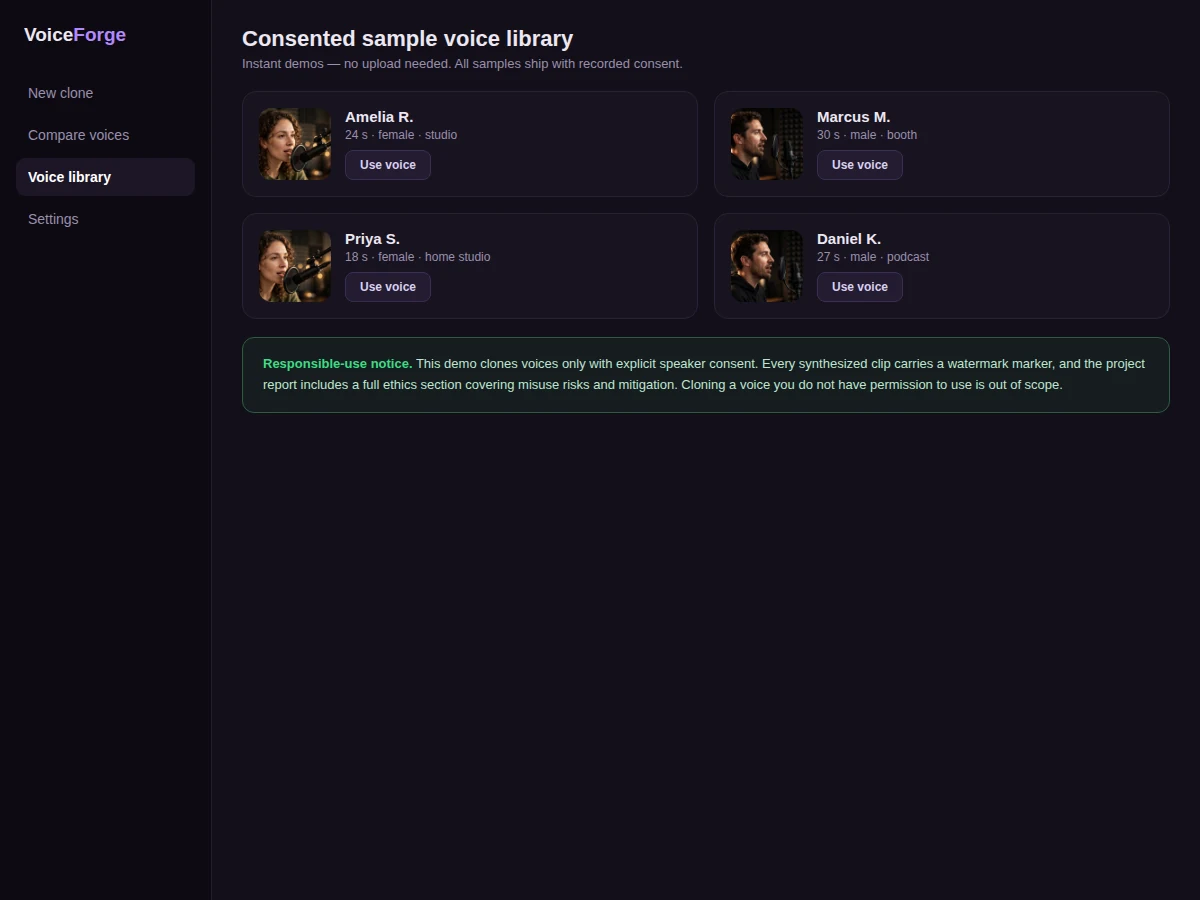
- [Consent-gated workflow] Synthesis unlocks only after an explicit consent declaration for the reference voice; every output carries an inaudible watermark marker and the UI states the educational scope.
- [Text-to-cloned-speech synthesis] Tortoise TTS conditions generation on the reference clip's voice characteristics and renders new spoken text — no per-speaker training needed.
- [Similarity comparison view] Original and cloned clips are shown side by side with aligned waveforms, spectrogram-style views and a computed embedding cosine similarity for that run.
- [Consented sample voice library] Bundled sample voices are included so the demo runs instantly without uploading personal audio.
- [Voice settings] Sampling temperature and pacing controls let the student explore the quality-vs-stability tradeoff (configurable).
- [WAV export] Synthesized clips download as WAV files with the watermark marker documented in the report.
What is included
- Complete source code (preprocessing, synthesis pipeline, comparison view, web app)
- Consented sample voice library for instant demos
- Setup guide (environment, model weight download, GPU/CPU expectations)
- Project report PDF (background, Tortoise TTS architecture, methodology, ethics section, evaluation procedure)
- PPT presentation for final review
- Viva Q&A preparation document (TTS architectures, autoregressive synthesis, speaker conditioning, ethics of voice cloning)
- Demo guidance with a scripted walkthrough
Limitations & prerequisites
- Cloning fidelity depends entirely on the reference clip — noisy, reverberant or very short clips produce noticeably weaker results.
- CPU synthesis is slow (several minutes per sentence); a CUDA GPU is strongly recommended for any live demo.
- The model is English-focused; other languages and heavy accents are outside its comfort zone.
- The similarity score is a computed embedding distance for that run, not a certified measure of "how good" the clone sounds — listening tests remain the real evaluation.
- This is an educational demo, not a production voice product: outputs are watermarked and the workflow requires consent.
Frequently Asked Questions
Which model is used?
Tortoise TTS, an open-source text-to-speech model that clones from a short reference clip via voice conditioning, without per-speaker training.
How much reference audio is needed?
10–30 seconds of clean speech. Longer, cleaner clips consistently give better results; the quality checker enforces a minimum before synthesis.
Is the cloning quality guaranteed?
No. Fidelity depends on the reference clip's cleanliness and length — the comparison view exists so quality is measured per run, never pre-claimed.
Can it clone anyone's voice?
Technically the model conditions on any clip, which is exactly why the build is consent-gated: synthesis unlocks only after a consent declaration, outputs are watermarked, and the report covers misuse ethics.
Do I need a GPU?
Strongly recommended. Tortoise TTS is autoregressive and slow — minutes per sentence on CPU versus much faster on a CUDA GPU.
Is this project suitable for a final-year project?
Yes — for Computer Science, AI/ML and Data Science programs. It demonstrates speech synthesis, neural audio modeling, responsible-AI practice and full-stack demo engineering. Suitable for B.E./B.Tech final-year projects in Computer Science, AI/ML and Data Science.
Components & software requirements
- Python 3.10, PyTorch
- Tortoise TTS (open-source voice-cloning model)
- Torchaudio (audio preprocessing)
- Flask backend, HTML/CSS/JS demo frontend
Delivery information
Built-to-order project. Delivery timeline is shared after order confirmation based on current queue.
Support terms
Complete documentation, setup guide, and viva preparation included. Support for setup and explanation provided.