
More project photos (2)
The problem
"Who is speaking?" is one of the oldest problems in speech technology — behind voice-based access control, meeting transcription ("who said what") and forensic audio analysis. Unlike speech recognition (what was said), speaker identification is text-independent: it must recognize a voice regardless of the words spoken. The acoustic basis is the vocal tract: each speaker's physiology shapes the spectral envelope of their speech in a stable, learnable way, and Mel-Frequency Cepstral Coefficients (MFCCs) are the classic compact representation of that envelope. The standard academic pipeline — MFCC features, a Universal Background Model (GMM-UBM) adapted per speaker, and similarity scoring — is still the clearest way to learn the whole field, and it scales naturally to modern embedding (x-vector) scoring. This project implements that pipeline end to end with an enrollment console, an MFCC heatmap visualizer and closed-set identification plus 1:1 verification trials.
How it works
- Speech is framed into 25 ms windows with 10 ms shift; each frame is Hamming-windowed, passed through a mel filterbank, log-compressed and DCT-transformed into 40 MFCCs, plus first and second deltas.
- Voice activity detection trims silence; per-utterance cepstral mean/variance normalization removes channel bias.
- A 512-mixture GMM Universal Background Model is trained on pooled multi-speaker speech to represent speaker-independent acoustic space.
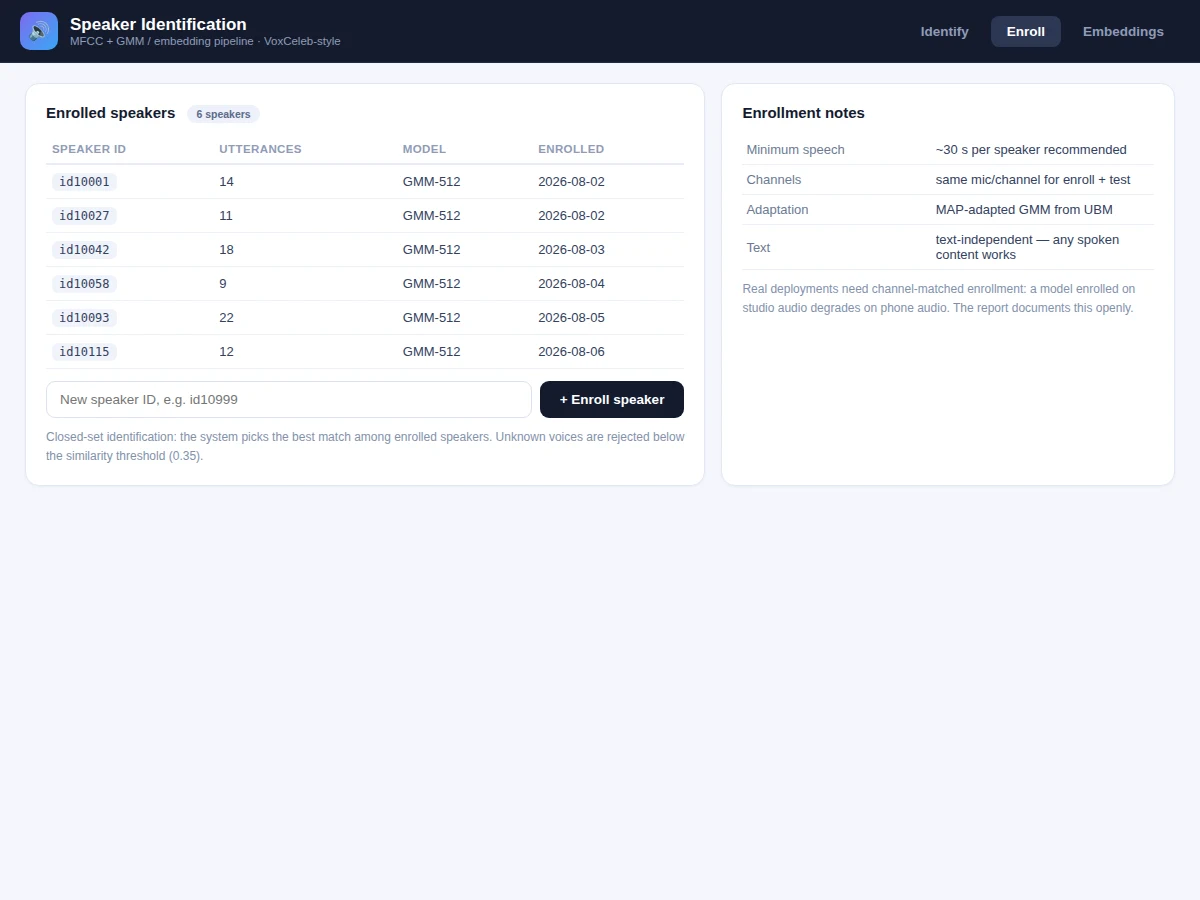
- Each enrolled speaker's model is MAP-adapted from the UBM using their enrollment utterances (~30 s of speech recommended per speaker).
- At test time, the utterance's frames are scored against every enrolled speaker model (log-likelihood ratio vs the UBM); the embedding path independently ranks by cosine similarity.
- The speaker with the best combined score above the rejection threshold is returned with ranked alternatives; below threshold, the voice is rejected as unknown.
Tech stack:
- Python 3.10, scikit-learn (GMM-UBM, MAP adaptation)
- librosa (MFCC extraction, VAD)
- NumPy, SciPy (scoring, likelihood ratios)
- PyTorch (embedding/TDNN path)
- Jupyter notebook (buyer-run training and evaluation)
- Matplotlib (MFCC heatmaps, DET curves)
- Flask identification console UI
| Parameter | Value |
|---|---|
| Features | 40 MFCCs + Δ + ΔΔ (120-dim frames), 25 ms window, 10 ms shift |
| Speaker model | GMM-UBM, 512 mixtures, MAP-adapted per speaker |
| Scoring | Log-likelihood ratio vs UBM + embedding cosine similarity |
| Design reference | VoxCeleb line (VoxCeleb2: 6,112 speakers, 1,128,246 utterances); delivered build enrolls custom speakers |
| Enrollment | ~30 s speech per speaker recommended; text-independent |
| Decision | Closed-set argmax with unknown-voice rejection threshold |
| Evaluation | Identification accuracy + verification trials on held-out utterances — computed by the notebook during your build |
| Input | Short single-speaker clips (16 kHz mono .wav) |
| Output | Ranked speaker list with similarity scores, accept/reject verdict |
Project features
- [40-dim MFCC + deltas] 25 ms frames with 10 ms shift, Hamming window, 40 cepstral coefficients plus Δ and ΔΔ — 120-dim frames capturing the vocal-tract spectral envelope.
- [GMM-UBM speaker models] A 512-mixture Universal Background Model trained on pooled speech, MAP-adapted per enrolled speaker — the classical text-independent identification recipe.
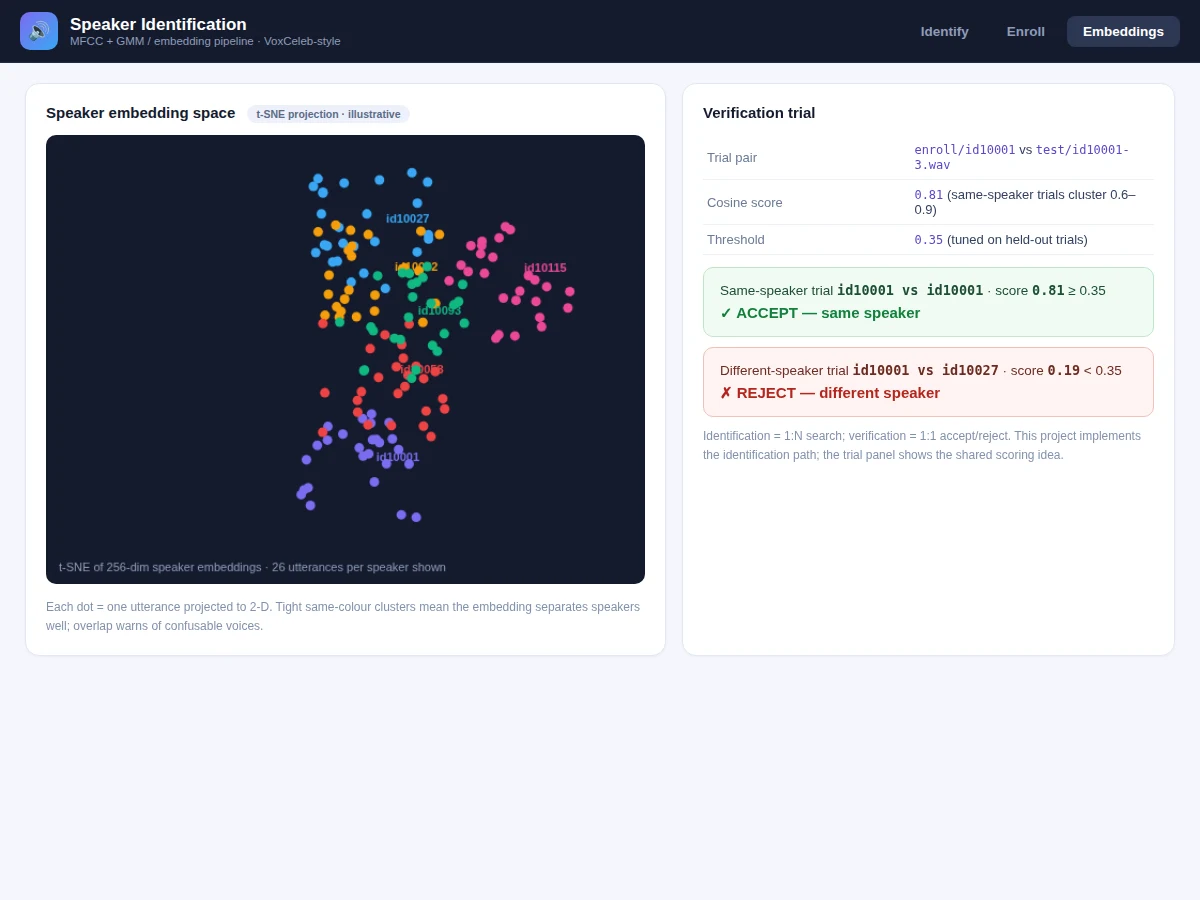
- [Embedding cosine scorer] A TDNN-style embedding path projects utterances to fixed vectors scored by cosine similarity, shown alongside GMM log-likelihood-ratio scores.
- [Enrollment console] Add speakers with their utterances, inspect per-speaker models, and re-enroll — the closed-set gallery the identifier searches.
- [MFCC heatmap visualizer] Renders the 40×time cepstral matrix of any test utterance so the features behind a decision are inspectable.
- [Identification + verification] 1:N ranked identification with similarity bars, plus 1:1 accept/reject verification trials against a tuned threshold.
- [Evaluation notebook] Held-out trial scoring with identification accuracy, DET-style analysis and threshold tuning — every number comes from your build.
- [Channel-matched protocol] Enrollment and test guidance keeps microphone/channel conditions matched, with the degradation documented when they are not.
What is included
- Complete source code (MFCC pipeline, GMM-UBM training, MAP adaptation, scorers, console UI)
- Jupyter training and evaluation notebook (buyer-run: extract features, train UBM, enroll, score trials)
- Reference speaker models and the enrollment console
- Project report PDF (background, feature theory, methodology, evaluation, error analysis)
- PPT presentation for final review
- Viva Q&A preparation document (MFCC computation, GMM-UBM, MAP adaptation, identification vs verification, channel effects)
- Setup guide (environment, enrolling speakers, running identification trials)
Limitations & prerequisites
- This is closed-set identification: it picks the best match among enrolled speakers and can only reject unknowns via threshold — it cannot name someone never enrolled.
- Channel mismatch is the classic failure mode: enrollment on a studio mic and testing on a phone degrades scores sharply; the protocol requires matched conditions and the report documents why.
- Short utterances (under ~3 s) carry little speaker information and score unreliably; overlapping speakers and heavy background noise are outside the build's scope.
- Accuracy depends entirely on the enrollment data you provide: few or noisy enrollment utterances produce weak speaker models.
- This is an academic prototype, not a security product — voice biometrics for access control need anti-spoofing the build does not include.
Frequently Asked Questions
Which dataset is used?
The design follows the VoxCeleb line of speaker-recognition research (VoxCeleb2: 6,112 speakers, 1,128,246 utterances, 2,442 hours). The delivered build enrolls its own speakers through the console — you record enrollment utterances and the system builds their models.
Which model is used?
40-dim MFCCs (+Δ+ΔΔ) feed two scorers: a classical GMM-UBM with MAP-adapted per-speaker models (512 mixtures), and an embedding path scored by cosine similarity.
Is the accuracy guaranteed?
No fixed accuracy is claimed. The notebook scores held-out identification trials and verification pairs from your own enrolled speakers and reports the measured numbers with a threshold analysis.
Is this project suitable for a final-year project?
Yes — for Computer Science, AI/ML and Data Science programs. It covers speech signal processing, statistical modelling (GMM/EM), biometric evaluation methodology and honest error analysis.
What is the difference between identification and verification?
Identification (1:N) asks "which enrolled speaker is this?"; verification (1:1) asks "is this the claimed speaker?" with an accept/reject threshold. The build implements both on the same scoring.
Can it identify a speaker it was never trained on?
No — closed-set systems only recognize enrolled speakers. Unknown voices are rejected by the similarity threshold, which the notebook helps you tune. Suitable for B.E./B.Tech final-year projects in Computer Science, AI/ML and Data Science.
Components & software requirements
- Python 3.10, scikit-learn (GMM-UBM, MAP adaptation)
- librosa (MFCC extraction, VAD)
- NumPy, SciPy (scoring, likelihood ratios)
- PyTorch (embedding/TDNN path)
- Jupyter notebook (buyer-run training and evaluation)
- Matplotlib (MFCC heatmaps, DET curves)
- Flask identification console UI
Delivery information
Built-to-order project. Delivery timeline is shared after order confirmation based on current queue.
Support terms
Complete documentation, setup guide, and viva preparation included. Support for setup and explanation provided.