
More project photos (2)
The problem
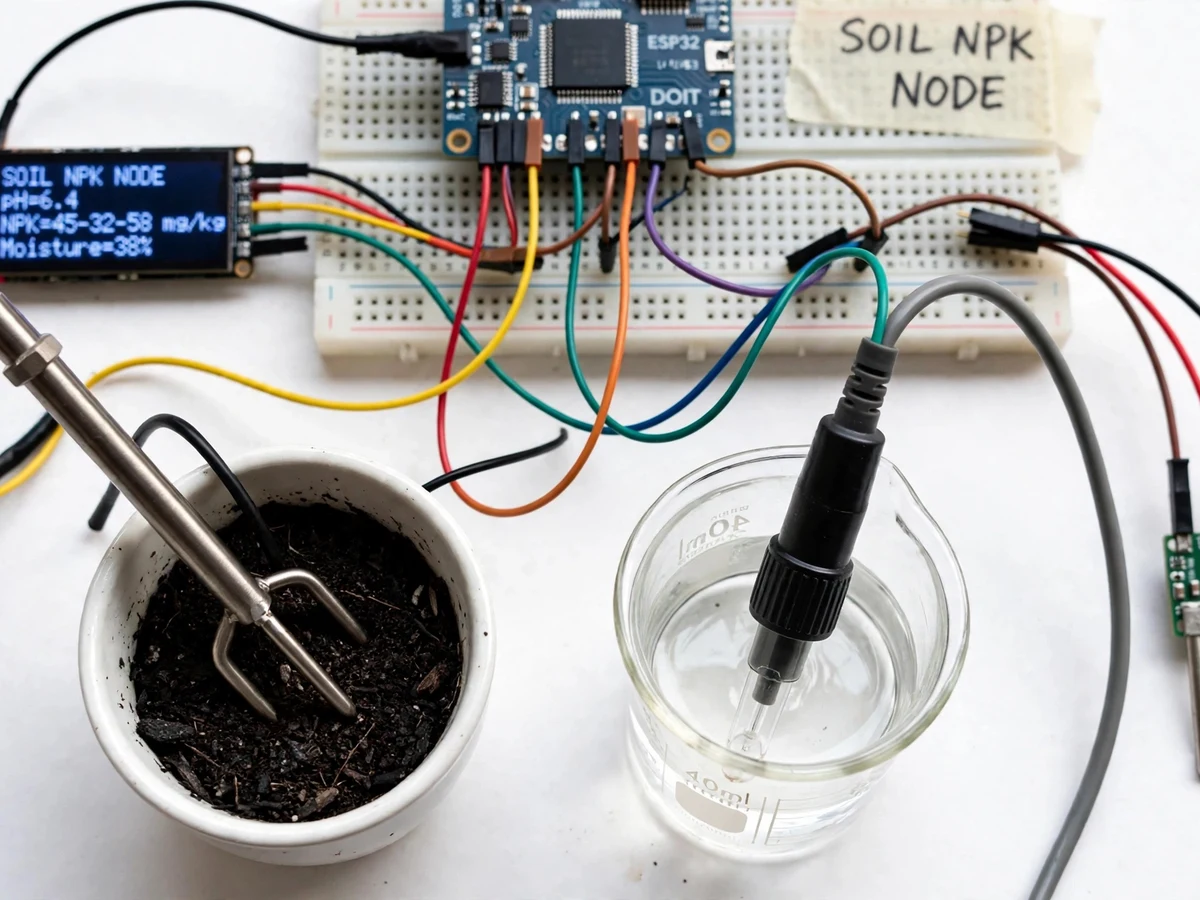
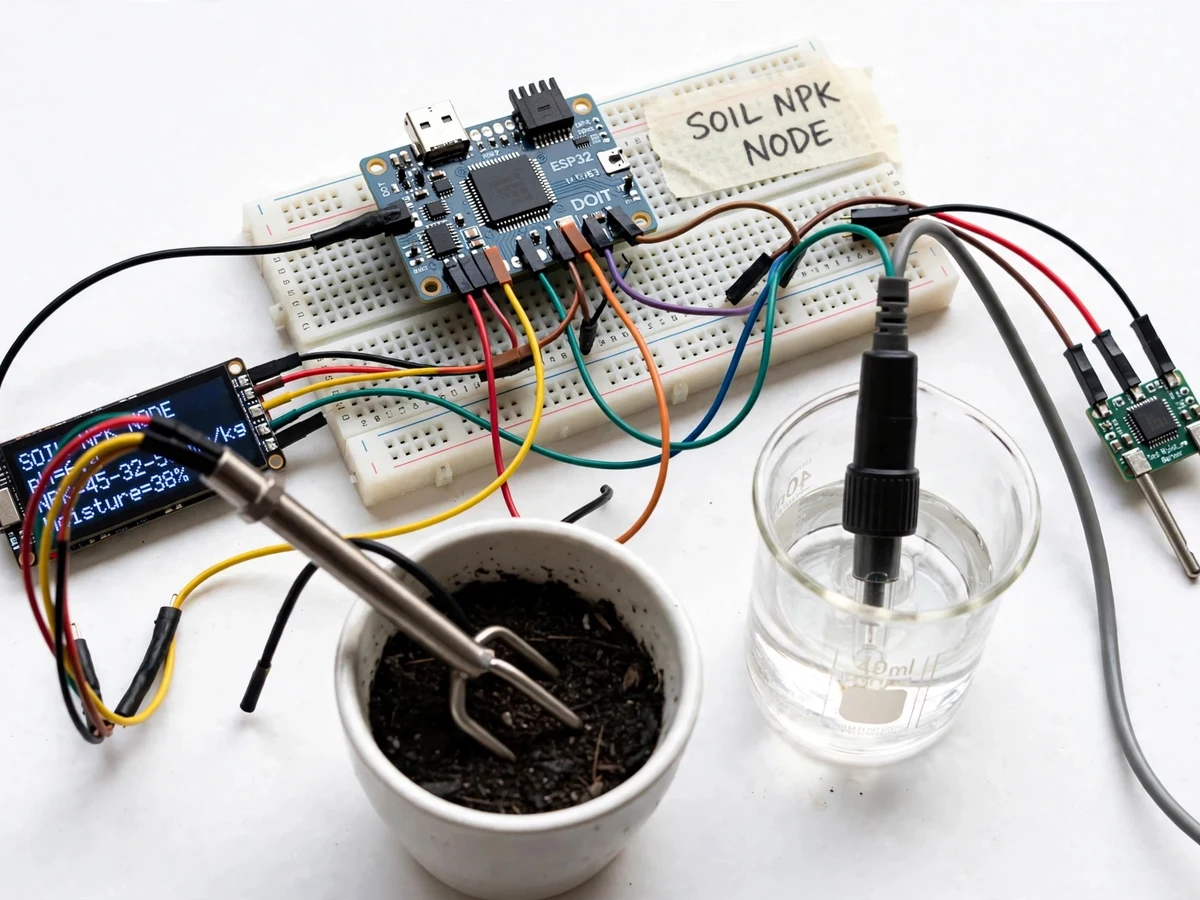
Farmers decide fertilizer doses mostly by experience or by sending soil samples to a lab and waiting weeks for results — by which time the crop stage has moved on. The gap is not precision agriculture in the abstract; it is a simple, repeatable way to read the soil's actual nutrient state in the field. This project builds that instrument: an NPK sensor probe (Modbus RS485) measures nitrogen, phosphorus and potassium in mg/kg, a pH probe reports soil acidity, and a moisture sensor adds the water context that nutrient readings need to be meaningful. An ESP32 collects the readings, displays them on an OLED for in-field use, and pushes them over Wi-Fi to a cloud dashboard where the season's trend is visible. The firmware converts raw NPK values into a simple fertility rating (low/medium/high) per nutrient so the readout is actionable, not just numbers.
How it works
- The NPK, pH and moisture probes are inserted into the soil at the sampling point; the probes need a few minutes to stabilize in moist soil.
- The ESP32 polls the NPK probe over Modbus RS485 for N, P and K in mg/kg, reads the pH probe through its conditioning board, and samples the capacitive moisture probe.
- Firmware applies the stored calibration offsets, converts each nutrient to a low/medium/high fertility band, and renders all values on the OLED.
- On each measurement cycle the ESP32 publishes the readings with a timestamp over Wi-Fi to the cloud dashboard.
- The dashboard plots each parameter over time per probe location, so nutrient depletion or pH drift across the season is visible as a trend.
- Before first use, the student runs the two-point pH calibration (buffer solutions) and records the offsets — the report documents the procedure and the student's own readings.
Tech stack:
- ESP32 development board (Wi-Fi)
- Arduino IDE (C/C++ firmware)
- Soil NPK sensor probe (Modbus RS485) + TTL-to-RS485 module
- Analog pH probe with conditioning board
- Capacitive soil-moisture sensor
- 0.96-inch OLED display (I2C)
- Cloud dashboard (ThingSpeak/Blynk class) over MQTT/HTTP
- 5 V USB/battery supply with weatherproof probe cabling
| Parameter | Value |
|---|---|
| Controller | ESP32, 3.3 V logic, Wi-Fi 802.11 b/g/n |
| NPK probe | Modbus RS485, N/P/K in mg/kg (design range 0–1999 mg/kg) |
| pH probe | 0–14 pH range; accuracy approximately ±0.2 pH after two-point calibration |
| Moisture sensor | Capacitive, 0–100% relative scale |
| Display | 0.96-inch OLED, 128x64, I2C |
| Measurement cycle | Approximately 30 seconds per reading (configurable) |
| Dashboard | Cloud charts with per-probe history, MQTT/HTTP |
| Calibration | Buyer-run two-point pH calibration; NPK offset verification |
| Power | 5 V USB supply (field use: power bank); probes weatherproof |
Project features
- [NPK sensing] A Modbus RS485 soil NPK probe reports nitrogen, phosphorus and potassium in mg/kg directly from the soil, read by the ESP32 over a TTL-to-RS485 module.
- [pH measurement] An analog pH probe with its conditioning board measures soil pH so nutrient readings are interpreted with acidity context (nutrient availability is pH-dependent).
- [Moisture context] A capacitive soil-moisture probe reports volumetric water content, since dry soil skews nutrient uptake and sensor readings.
- [Fertility rating] Firmware maps each nutrient to a low/medium/high band against standard agronomy reference ranges and shows the rating alongside raw values.
- [On-device OLED display] A 0.96-inch OLED shows NPK, pH and moisture live in the field without any phone or laptop.
- [Cloud dashboard] Readings are published over Wi-Fi (MQTT/HTTP) to a dashboard with per-probe history charts, so a season of measurements is visible in one place.
- [Calibration procedure] The kit includes a buyer-run two-point pH calibration and an NPK verification procedure with reference solutions, documented step by step.
What is included
- Working prototype: ESP32, NPK probe, pH probe, moisture sensor, OLED, RS485 module wired and tested
- Complete ESP32 firmware (Modbus polling, pH/moisture sampling, OLED UI, cloud publishing)
- Sensor calibration and verification procedure with reference values
- Cloud dashboard setup guide (channel creation, API keys, chart configuration)
- Wiring diagram and connection table
- Project report PDF (background, soil-nutrient science, methodology, working, results)
- PPT presentation for final review
- Viva Q&A preparation document (Modbus, pH sensing, NPK agronomy basics, IoT telemetry)
Limitations & prerequisites
- The NPK probe reports indicative field values, not lab-grade analysis — the report states this honestly; lab testing remains the reference for precise dosing.
- pH accuracy of approximately ±0.2 depends on the buyer performing the two-point calibration; uncalibrated readings drift.
- Probes must be in moist soil to stabilize; readings in dry, loose soil are unreliable and the firmware flags low-moisture conditions.
- The dashboard needs Wi-Fi at the deployment point; readings are shown on the OLED regardless of connectivity.
- Nutrient bands (low/medium/high) are general agronomy reference ranges, not crop-specific recommendations — the report says so explicitly.
- Probes need periodic cleaning; salt crust on the NPK probe degrades readings over a season.
Frequently Asked Questions
What does the NPK probe actually measure?
Nitrogen, phosphorus and potassium content in the soil in mg/kg, read over Modbus RS485. These are the three primary macronutrients behind NPK fertilizer grades like 19:19:19.
Why is pH measured too?
Nutrient availability depends on pH — in very acidic or alkaline soil, nutrients lock up and plants cannot absorb them even when present. The pH reading gives the context the NPK numbers need.
How accurate is it?
Indicative field accuracy: approximately ±0.2 pH after the buyer's two-point calibration. It is a field instrument for trend and decision support, not a replacement for lab soil testing — the report states this plainly.
Does it recommend fertilizer doses?
It reports values and low/medium/high bands against standard reference ranges. Crop-specific dose recommendations are deliberately out of scope and listed as future work.
Can it monitor multiple field points?
The dashboard supports multiple probe locations as separate channels; each location needs its own probe set and ESP32 node.
Is this project suitable for a final-year project?
Yes — for IoT & Embedded programs. It combines Modbus industrial sensing, analog pH conditioning, on-device UI and cloud telemetry around a genuine agriculture problem. Suitable for B.E./B.Tech final-year projects in IoT & Embedded.
Components & software requirements
- ESP32 development board (Wi-Fi)
- Arduino IDE (C/C++ firmware)
- Soil NPK sensor probe (Modbus RS485) + TTL-to-RS485 module
- Analog pH probe with conditioning board
- Capacitive soil-moisture sensor
- 0.96-inch OLED display (I2C)
- Cloud dashboard (ThingSpeak/Blynk class) over MQTT/HTTP
- 5 V USB/battery supply with weatherproof probe cabling
Delivery information
Built-to-order project. Delivery timeline is shared after order confirmation based on current queue.
Support terms
Complete documentation, setup guide, and viva preparation included. Support for setup and explanation provided.