
More project photos (2)
The problem
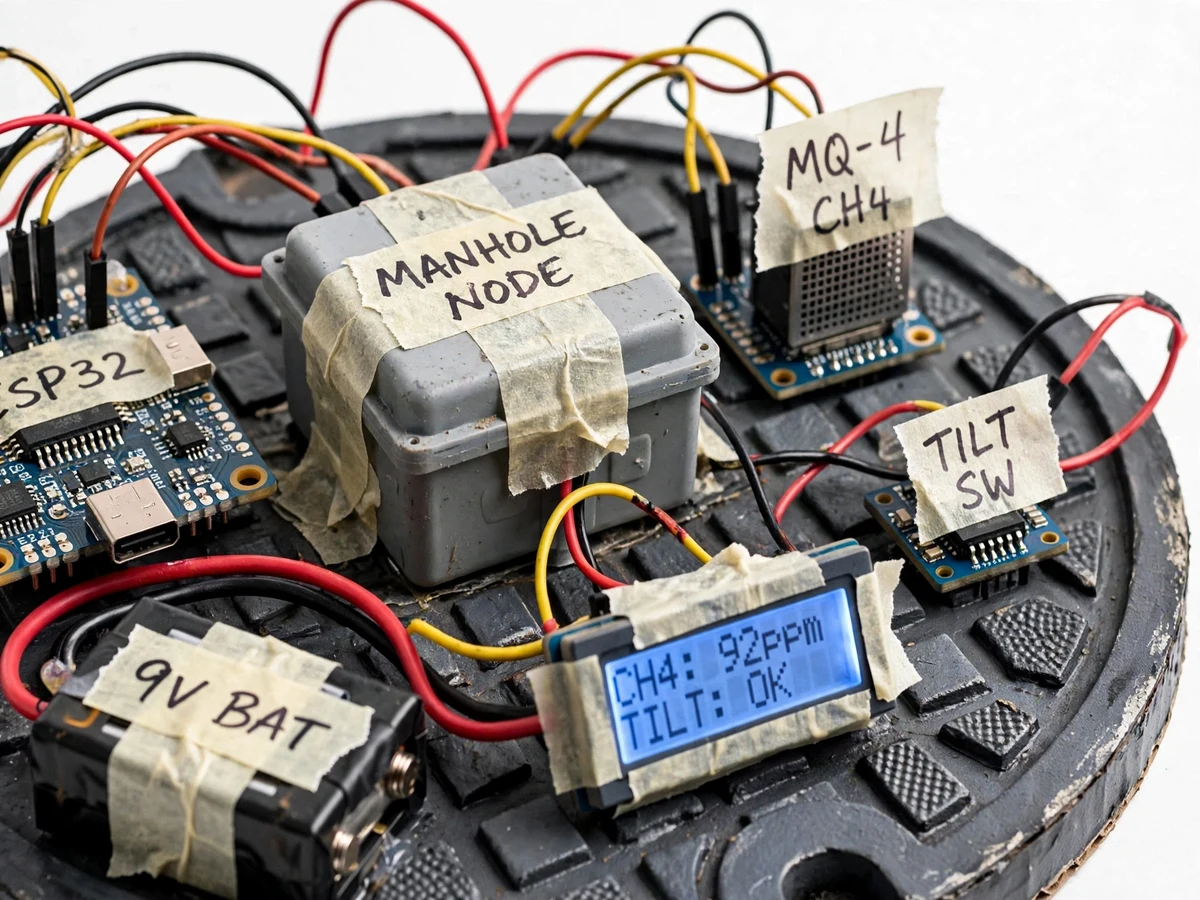
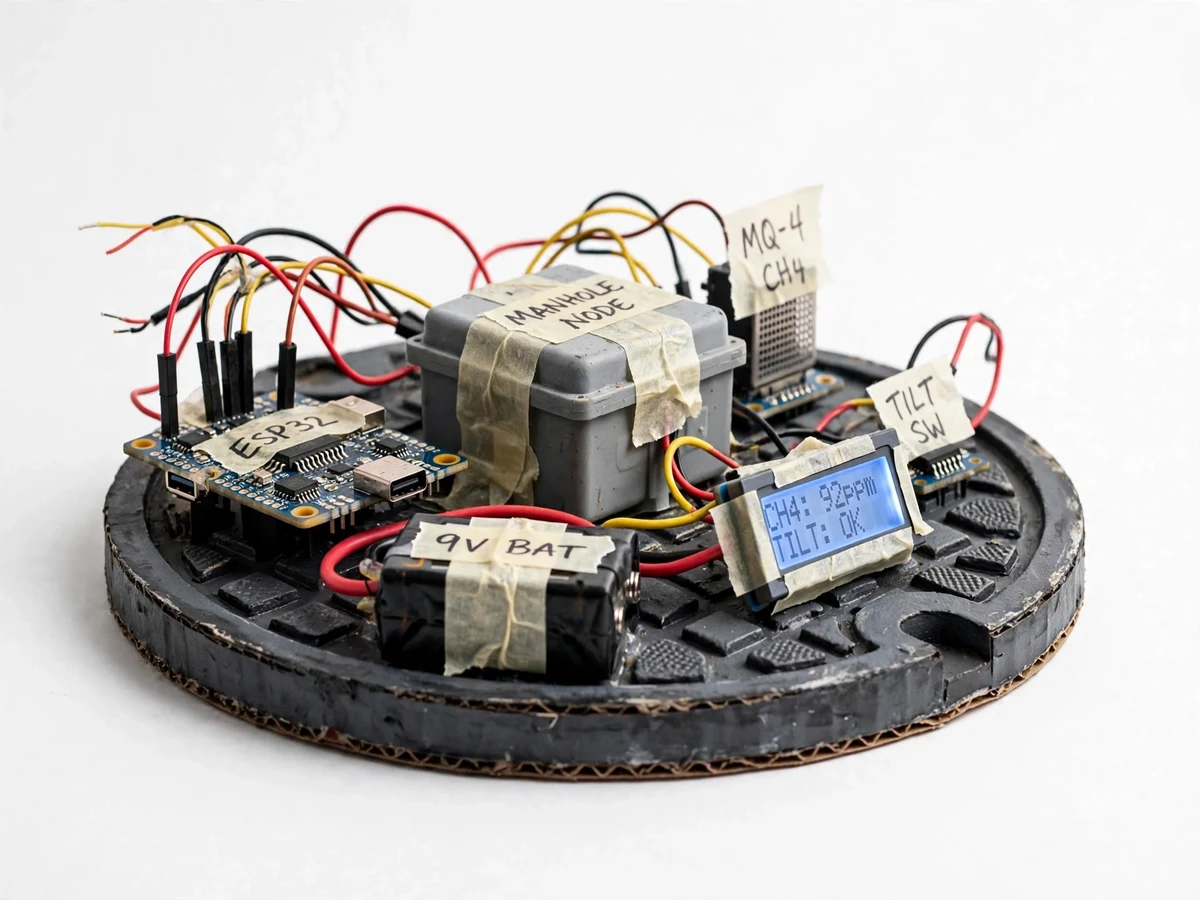
Open or displaced manhole covers cause fatal accidents every year, and sewer gas build-up — methane and hydrogen sulfide — kills sanitation workers silently. Municipal monitoring of covers is practically nonexistent in most Indian cities: inspections are manual and infrequent. This project builds the missing sensing layer as a student-buildable prototype: a ruggedized monitor box that bolts to the underside of a manhole cover, detects tilt/displacement with an accelerometer or tilt switch, sniffs gases with MQ-series sensors, and reports over Wi-Fi with a local buzzer and LCD for on-site status. The engineering substance is in the threshold logic — distinguishing a real gas hazard from sensor drift, and a real cover movement from vibration — plus the low-power design thinking for a device that must live underground.
How it works
- The monitor unit is fixed to the underside of the manhole cover; on power-up the gas sensors warm up and the ESP32 establishes a baseline reading.
- An accelerometer/tilt switch continuously watches the cover's orientation; gas sensors are sampled on a schedule between low-power sleeps.
- When tilt exceeds the configured threshold (cover opened or displaced) the buzzer sounds, the LCD flags COVER OPEN, and a displacement alert with the cover's location tag is pushed over Wi-Fi.
- When methane or H2S readings cross their alert thresholds for a confirmed duration, a gas-hazard alert is raised the same way, with the measured levels included.
- All events — displacements, gas alerts, sensor baselines — are logged with timestamps to the monitoring endpoint for the dashboard view.
- On site, the LCD shows live gas levels and cover status so maintenance crews can read conditions without opening the cover.
Tech stack:
- ESP32 (firmware, Wi-Fi, sensor reading, alert logic)
- MQ-4 methane sensor, MQ-136 hydrogen sulfide sensor
- Tilt switch / accelerometer (displacement sensing)
- 16×2 LCD, buzzer (local indication)
- Arduino framework firmware
- HTTP/MQTT alert endpoint + event log dashboard
- IP-rated enclosure, battery + solar-charging provision
| Parameter | Value |
|---|---|
| Controller | ESP32 dev board (Wi-Fi, deep-sleep support) |
| Gas sensors | MQ-4 (methane, 300–10,000 ppm per datasheet), MQ-136 (H2S, per datasheet) |
| Displacement | Tilt threshold configurable; design target ±10° from baseline |
| Alert thresholds | Gas alert levels configurable; set during buyer-run calibration (design target: methane alert above ~1,000 ppm equivalent) |
| Local output | 16×2 LCD (gas levels + status), buzzer alarm |
| Power | Battery pack with sleep scheduling; solar-charging provision documented |
| Connectivity | Wi-Fi to monitoring endpoint (HTTP/MQTT) |
Project features
- [Displacement detection] Tilt/shock sensing on the cover: opening, tilting beyond the threshold angle, or shock from impact raises an immediate alert.
- [Sewer gas sensing] MQ-4 (methane) and MQ-136 (hydrogen sulfide) sensors with calibrated alert thresholds; the firmware distinguishes genuine build-up from warm-up drift.
- [Local alarm] Buzzer plus 16×2 LCD showing live gas readings and cover status for on-site inspection.
- [Wi-Fi alerts] ESP32 pushes displacement and gas alerts with device ID and location tag to the monitoring endpoint; events are logged with timestamps.
- [Battery-aware design] Sleep scheduling between readings and solar-charging provision documented for long field deployment thinking.
- [Buyer-run calibration procedure] Step-by-step sensor warm-up, baseline and threshold-setting procedure the buyer performs on their own build — no invented "measured" figures.
- [Enclosure & mounting design] IP-rated enclosure concept and under-cover mounting arrangement documented in the build guide.
What is included
- Assembled monitor prototype (ESP32, sensors, LCD, buzzer, enclosure)
- Complete firmware source with threshold logic and alert code
- Wiring diagrams and bill of materials with exact part numbers
- Buyer-run calibration & threshold-setting procedure
- Mounting and enclosure design documentation
- Project report PDF (background, sensor theory, system design, firmware logic, testing procedure)
- PPT presentation for final review
- Viva Q&A preparation document (MQ sensor chemistry, calibration, power budgeting, threshold design)
Limitations & prerequisites
- Gas readings are indicative, not laboratory-grade: MQ sensors drift with temperature and humidity, which is why the calibration procedure is part of the deliverable.
- Alert thresholds are design targets set during the buyer's own calibration — no measured detection figures are claimed before that run.
- Wi-Fi range limits underground deployment; the enclosure sits near the surface and LoRa is documented as the upgrade path (future scope).
- Battery life depends on sampling schedule and solar input; the report gives the power-budget calculation rather than a measured endurance figure.
- This is a hazard-indication prototype, not certified safety equipment.
Frequently Asked Questions
What two hazards does it monitor?
Cover displacement (theft, flood washout, accidental opening) via tilt/shock sensing, and sewer gas build-up (methane via MQ-4, hydrogen sulfide via MQ-136) — the two causes of most manhole-related deaths.
How does it alert?
Three ways: a local buzzer and LCD for anyone on site, plus a Wi-Fi alert with the cover's location tag pushed to the monitoring endpoint, where every event is timestamp-logged.
How are the gas sensors calibrated?
MQ sensors need warm-up and baseline setting. The deliverable includes a buyer-run procedure: warm up, record clean-air baseline, set alert thresholds, and verify with the documented test method — on the student's own build.
Won't vibration from traffic cause false displacement alerts?
The firmware requires tilt to persist beyond the threshold angle (design target ±10°) rather than reacting to momentary shocks, and the threshold is configurable. The report discusses this filtering.
Can it run on battery underground?
It uses ESP32 deep-sleep between scheduled readings, and the enclosure design includes a solar-charging provision. The report documents the power-budget calculation; measured endurance is not claimed.
Is this project suitable for a final-year project?
Yes — for IoT & Embedded, Electronics and Electrical programs. It combines sensor interfacing, threshold/decision logic, wireless alerts and power-aware design around a genuine civic problem. Suitable for B.E./B.Tech final-year projects in IoT & Embedded, Electronics and Electrical.
Components & software requirements
- ESP32 (firmware, Wi-Fi, sensor reading, alert logic)
- MQ-4 methane sensor, MQ-136 hydrogen sulfide sensor
- Tilt switch / accelerometer (displacement sensing)
- 16×2 LCD, buzzer (local indication)
- Arduino framework firmware
- HTTP/MQTT alert endpoint + event log dashboard
- IP-rated enclosure, battery + solar-charging provision
Delivery information
Built-to-order project. Delivery timeline is shared after order confirmation based on current queue.
Support terms
Complete documentation, setup guide, and viva preparation included. Support for setup and explanation provided.