
More project photos (2)
The problem
ATMs hold cash in public, often unguarded spaces, and physical attacks — drilling, cutting, gas explosions, ram-raiding — keep evolving faster than branch security budgets. Guards and CCTV record what happened; they rarely stop it happening. A low-cost sensor layer that reacts the instant the machine body is attacked changes the equation: a vibration event can trigger a local deterrent and a remote alert within seconds, while the evidence is still fresh. The engineering is deliberately simple and robust — a vibration switch with an adjustable threshold, a door-tamper input, an ESP32 to judge and report, and a buzzer plus strobe for the local response. This project builds the complete monitor: the SW-420 sensing chain with a buyer-run sensitivity tuning procedure, confirmed-event logic that rejects single knocks, Telegram and MQTT alerting, a dashboard with a timestamped severity-graded event log, and arm/disarm plus service mode for maintenance.
How it works
- The SW-420 vibration switch and the reed-switch door sensor are sampled continuously by the ESP32.
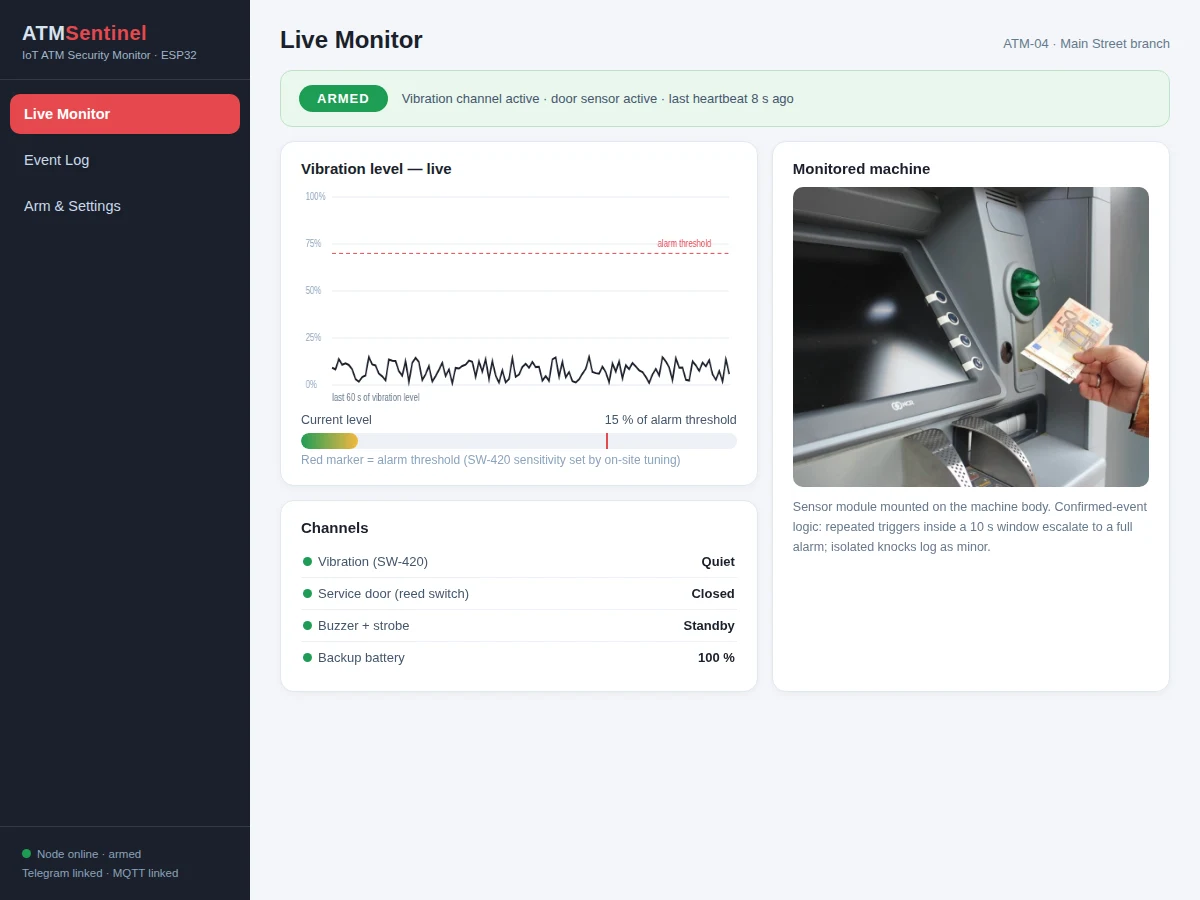
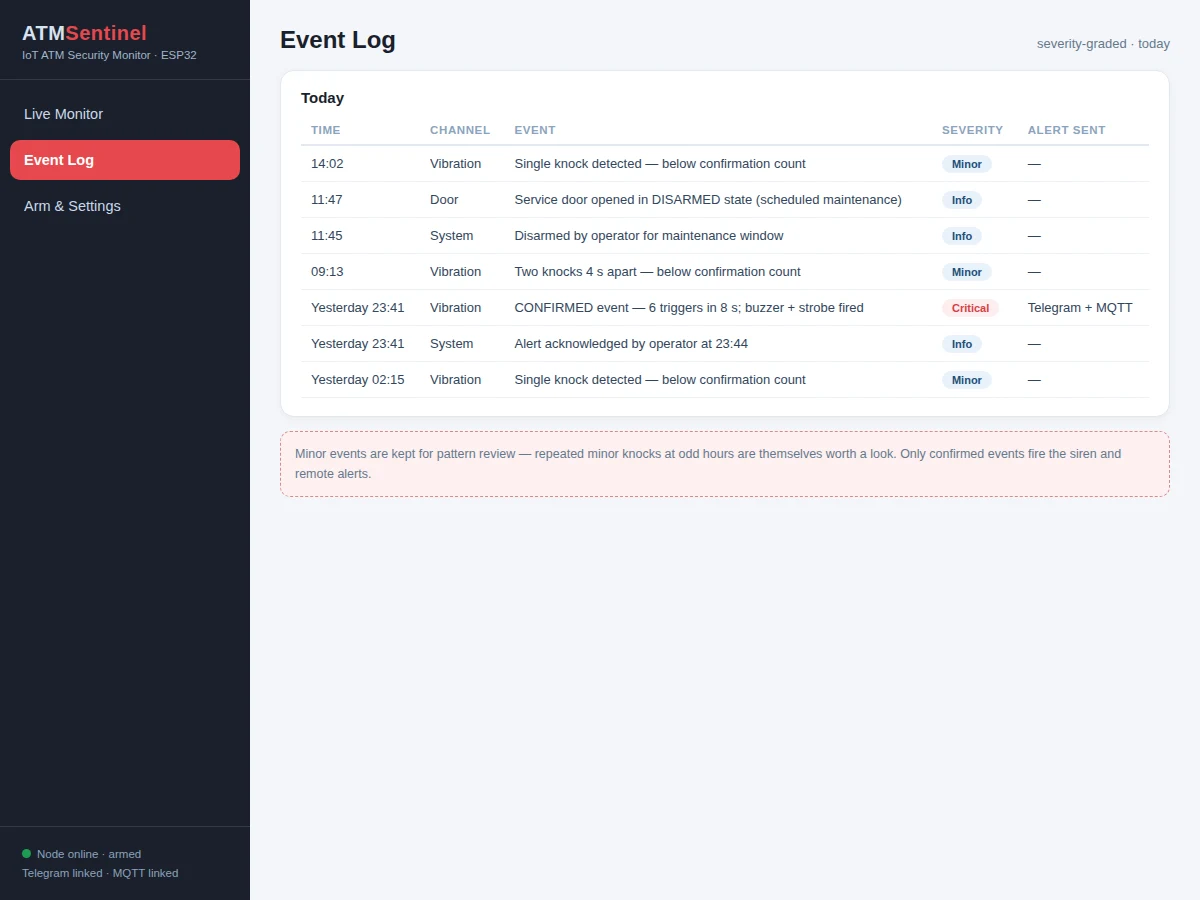
- A vibration trigger starts a confirmation window: only repeated triggers inside the window escalate to a confirmed attack event; isolated knocks are logged as minor.
- On confirmation the ESP32 fires the buzzer and strobe LED immediately and queues the remote alert.
- The event — type, severity, timestamp, sensor channel — is published over MQTT and sent through the Telegram bot to the owner.
- The dashboard appends the event to the severity-graded log and updates the machine status card.
- Arm/disarm commands from the dashboard change the monitoring state; service mode suspends vibration alarms while keeping door events active.
- The buyer tunes the SW-420 sensitivity potentiometer for their demo setup using the included knock-test procedure, so the threshold matches the mounting.
Tech stack:
- ESP32 DevKit (Arduino-core firmware)
- SW-420 vibration sensor module with sensitivity adjustment
- Reed switch for door-tamper sensing
- Buzzer and strobe LED for local deterrent
- Telegram bot plus MQTT broker for alerting
- Web dashboard (status card, event log, arm/disarm controls)
- 5 V adapter with battery backup for the node
| Parameter | Value |
|---|---|
| Controller | ESP32 DevKit, Arduino-core firmware |
| Vibration sensing | SW-420 digital vibration switch, potentiometer-adjustable threshold |
| Tamper input | Reed switch on service door (independent channel) |
| Event logic | Confirmed-event window; isolated knocks logged as minor |
| Local outputs | Buzzer plus strobe LED, ESP32-driven |
| Remote alerts | Telegram bot message + MQTT publish with timestamp |
| Dashboard | Machine status, severity-graded event log, arm/disarm, service mode |
| Power | 5 V adapter with battery backup for the node |
| Detection nature | Threshold-switch event detection, not calibrated force measurement |
| Scope | Deterrent and alerting prototype, not a certified bank security system |
Project features
- [Vibration event detection] An SW-420 module with a sensitivity potentiometer watches the machine body; confirmed-event logic requires repeated triggers inside a time window before an alarm fires, rejecting single knocks.
- [Door-tamper input] A reed switch on the service door reports opening events as a second, independent alarm channel alongside vibration.
- [Local deterrent] A loud buzzer and strobe LED fire on a confirmed event to startle the attacker and draw attention, driven directly by the ESP32.
- [Instant remote alerts] Telegram bot messages and MQTT publishes carry the event type, severity and timestamp to the owner within seconds of confirmation.
- [Event-log dashboard] A severity-graded, timestamped log of every vibration event, door event, arm/disarm action and alert delivery, with daily summaries.
- [Arm/disarm + service mode] Keypad/PIN-style arming from the dashboard; service mode suspends vibration alarms during maintenance without disabling door monitoring.
- [Offline local alarm] The buzzer, strobe and event buffering run entirely on the ESP32 — a Wi-Fi outage stops remote alerts, never the local response.
What is included
- Complete ESP32 firmware (sensor sampling, confirmed-event logic, Telegram/MQTT alerting, arm/disarm, service mode, offline buffering)
- Wiring diagram and sensor-mounting guide
- SW-420 sensitivity tuning guide (knock-test procedure the buyer runs on their demo rig)
- Alerting setup guide (Telegram bot creation, MQTT broker)
- Web dashboard app (status card, event log, controls, daily summaries)
- Project report PDF (background, sensor choice, event-logic design, evaluation method)
- PPT presentation for final review
- Viva Q&A preparation document (vibration sensing, threshold logic, MQTT, Telegram bots, IoT security basics)
- Setup guide (Wi-Fi provisioning, first arm/disarm test)
Limitations & prerequisites
- The SW-420 is a digital threshold switch, not a calibrated accelerometer: it reports that vibration crossed a set threshold, not a force in newtons, and the report states this plainly.
- Sensitivity must be tuned for the mounting — nearby construction, roadworks or a slammed shutter can trigger false alarms, and the tuning guide documents the tradeoff openly.
- Remote alerts need internet; if Wi-Fi drops, only the local buzzer/strobe and buffered log keep working until the link returns.
- This is a deterrent and alerting prototype for academic demonstration, not a certified bank-grade security system — no claim of stopping a determined physical attack is made.
- The demo mounts on a model ATM enclosure; real ATM integration would need bank-approved, tamper-evident mounting hardware beyond this project's scope.
- Battery backup covers short outages; extended power cuts need a larger UPS-style supply (documented as the extension path).
Frequently Asked Questions
How does it tell an attack from a bump?
Confirmed-event logic: a single knock is logged as a minor event, but only repeated triggers inside a short confirmation window escalate to a full alarm with buzzer, strobe and remote alert.
What sensors does it use?
An SW-420 vibration switch module (with an adjustable sensitivity potentiometer) on the machine body, plus a reed switch on the service door as an independent tamper channel.
How do I get the alerts?
Instant Telegram bot messages and MQTT publishes carrying event type, severity and timestamp; the dashboard keeps the full severity-graded log.
What happens during maintenance?
Service mode suspends vibration alarms so technicians don't trigger them, while door monitoring stays active; every mode change is logged.
Does it work without Wi-Fi?
The local buzzer, strobe and event buffering run entirely on the ESP32. Remote alerts pause until the link returns — the local response never depends on the cloud.
Is this project suitable for a final-year project?
Yes — for Electronics, Electrical and IoT programs. It demonstrates sensor interfacing, event-confirmation logic, multi-channel alerting, dashboard design and honest threshold tuning, all strong viva material. Suitable for B.E./B.Tech final-year projects in Electronics, Electrical and IoT.
Components & software requirements
- ESP32 DevKit (Arduino-core firmware)
- SW-420 vibration sensor module with sensitivity adjustment
- Reed switch for door-tamper sensing
- Buzzer and strobe LED for local deterrent
- Telegram bot plus MQTT broker for alerting
- Web dashboard (status card, event log, arm/disarm controls)
- 5 V adapter with battery backup for the node
Delivery information
Built-to-order project. Delivery timeline is shared after order confirmation based on current queue.
Support terms
Complete documentation, setup guide, and viva preparation included. Support for setup and explanation provided.