
More project photos (2)
The problem
Downloads folders accumulate project-report-final(1).pdf and project-report-final(2).pdf; datasets get copied between Documents and project folders; photo backups duplicate entire camera rolls. Name-based duplicate finders miss the real problem: identical content under different names, and different content under the same name. Content hashing solves it properly — files with identical bytes have identical SHA-256 hashes regardless of name, location or timestamps. This project builds a desktop duplicate finder around that principle. Scanning is two-phase for speed: files are first grouped by size (a unique size cannot have duplicates), and only then are the candidates hashed in chunks so multi-gigabyte files never exhaust memory. Groups are presented sorted by recoverable space with per-file control, and cleanup is safety-first throughout.
How it works
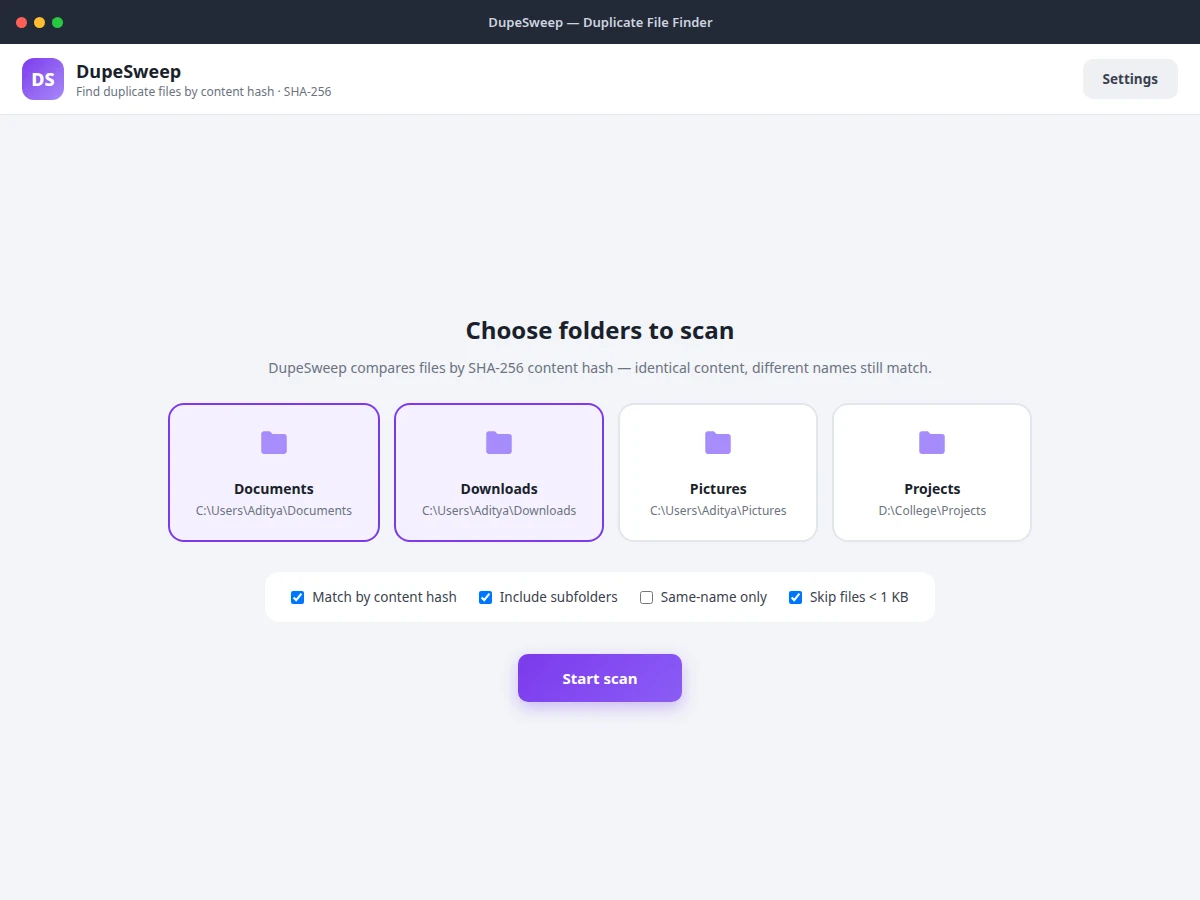
- The user selects which folders to scan (Documents, Downloads, Pictures, project drives) and sets filters.
- The crawler walks the selected roots recursively, honoring the subfolder and size filters.
- Files are grouped by size first; only files sharing a size with at least one other file are SHA-256-hashed in chunks.
- Identical hashes form duplicate groups, each labeled with its hash prefix and total wasted space, sorted largest first.
- Smart select keeps the newest file per group (or the user hand-picks with checkboxes), then deletes to the Recycle Bin.
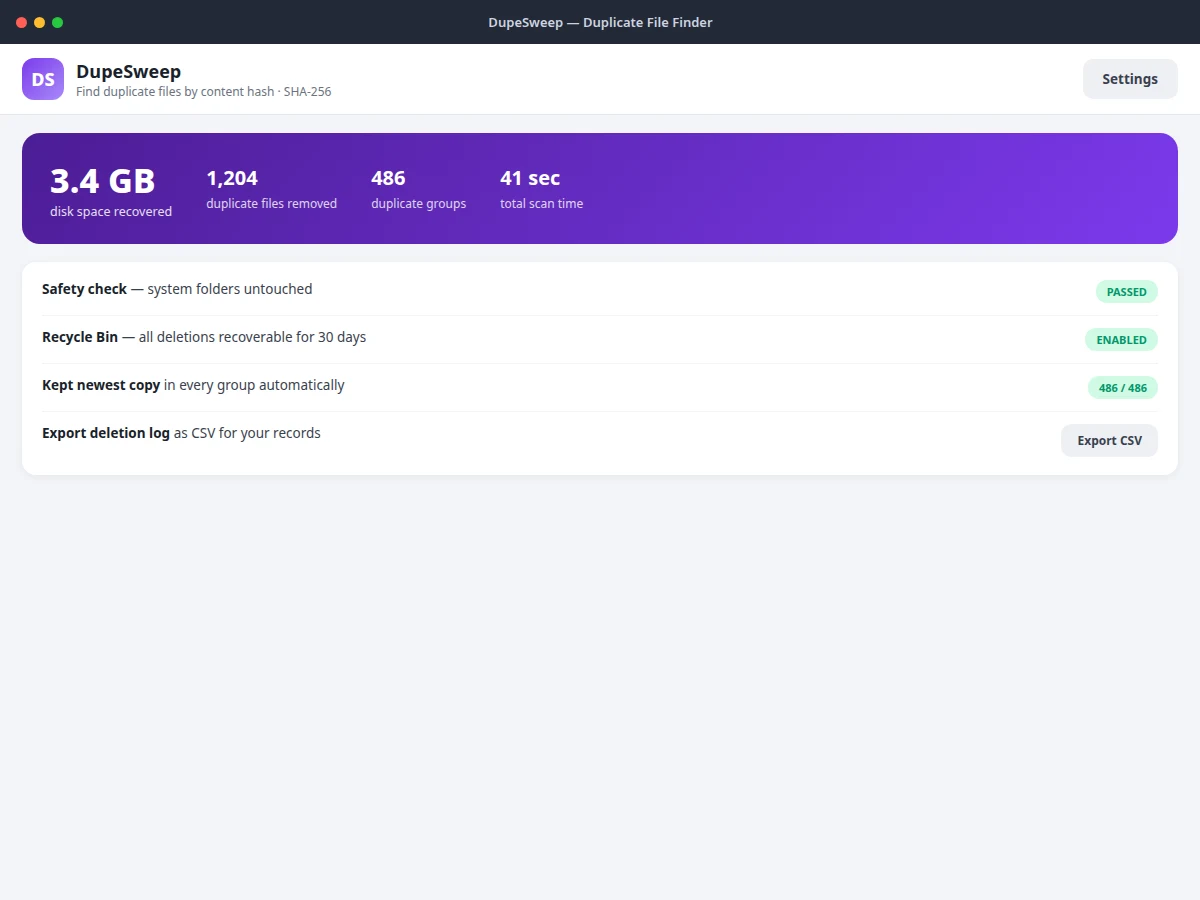
- A summary confirms recovered space, the safety check result and the exported CSV deletion log.
Tech stack:
- Python with hashlib (SHA-256) and os/scandir
- Desktop GUI toolkit (Qt or Tkinter)
- System Recycle Bin/Trash integration APIs
- CSV logging module
| Parameter | Value |
|---|---|
| Matching | SHA-256 content hash; chunked reads for large files |
| Scan phases | Size pre-grouping, then hash only candidates |
| Deletion | Via system Recycle Bin/Trash; recoverable (typically 30 days) |
| Safety | User-selected roots only; system folders excluded by design |
| Log | CSV with path, size and hash per deleted file |
| Scan time | Approximately tens of seconds per 10k files on typical hardware (design target; varies with disk speed) |
| Connectivity | Fully offline |
| Platform | Windows, macOS and Linux desktops (expected) |
Project features
- [SHA-256 content hashing] Files are compared by cryptographic hash of their bytes, so renamed copies match and same-named different files don't.
- [Two-phase fast scanning] Size pre-grouping means only real duplicate candidates are hashed — tens of thousands of unique files are never hashed at all.
- [Duplicate groups by wasted space] Identical files are grouped with per-group wasted-space totals, sorted so the biggest wins come first.
- [Smart select] One click keeps the newest copy in every group and selects the rest, with manual per-file checkboxes for full control.
- [Recycle Bin deletion] Deletions go through the system Recycle Bin/Trash — every removal is recoverable for 30 days, never permanent.
- [CSV deletion log] Every deleted file is recorded with path, size and hash in an exportable log for the user's records.
- [System-folder protection] Only user-selected folders are scanned; system directories are categorically excluded and a safety check verifies it.
- [Scan filters] Match by content hash, include subfolders, same-name-only mode, and skip files under a size threshold.
What is included
- Complete desktop utility source code (crawler, hasher, review UI)
- Hashing-pipeline documentation (two-phase design, chunked reads)
- Sample duplicate file tree for demonstration
- Setup guide (install, usage, safety notes)
- Project report PDF (background, hashing design, methodology)
- PPT presentation for final review
- Viva Q&A preparation document (hashing, file systems, algorithm complexity)
Limitations & prerequisites
- Hashing is I/O-bound: the first scan of a very large drive takes time proportional to total bytes read — the two-phase design reduces but does not eliminate this.
- Files that differ by even one byte are different files; near-duplicates (resized images, re-encoded videos) are not detected — perceptual hashing is future scope.
- The safety model trusts the user's folder selection; scanning an external drive the user selected is their explicit choice.
- Recycle Bin recovery windows depend on OS policy and available space, not on this app.
- Network drives can be scanned but hashing speed is limited by network throughput.
Frequently Asked Questions
Why hash content instead of comparing names?
Names lie: the same report saved as final(1).pdf and report-backup.pdf has different names but identical bytes, while two different photos can share a name. SHA-256 of the content is exact — identical bytes, identical hash, regardless of name or location.
Is deletion really safe?
Deletions go to the system Recycle Bin rather than permanent deletion, every action is logged to CSV, the newest copy per group is kept by default, and system folders are never scanned. Recovery is a normal Recycle Bin restore.
How fast is it?
The two-phase design (size grouping before hashing) avoids hashing files that cannot have duplicates. Exact scan time depends on disk speed and total bytes; the report documents the complexity analysis.
Can it find similar photos?
No — only byte-identical files. Similar-image detection via perceptual hashing is listed as future scope.
What does the CSV log contain?
One row per deleted file: original path, file size and SHA-256 hash, so the user has a permanent record of what was removed and can verify integrity.
Is this project suitable for a final-year project?
Yes — for Computer Science, Information Technology and related branches. It demonstrates cryptographic hashing, file-system traversal, algorithm optimization and safety-critical UX design. Suitable for B.E./B.Tech final-year projects in Computer Science, Information Technology and related branches.
Components & software requirements
- Python with hashlib (SHA-256) and os/scandir
- Desktop GUI toolkit (Qt or Tkinter)
- System Recycle Bin/Trash integration APIs
- CSV logging module
Delivery information
Built-to-order project. Delivery timeline is shared after order confirmation based on current queue.
Support terms
Complete documentation, setup guide, and viva preparation included. Support for setup and explanation provided.