
More project photos (2)
The problem
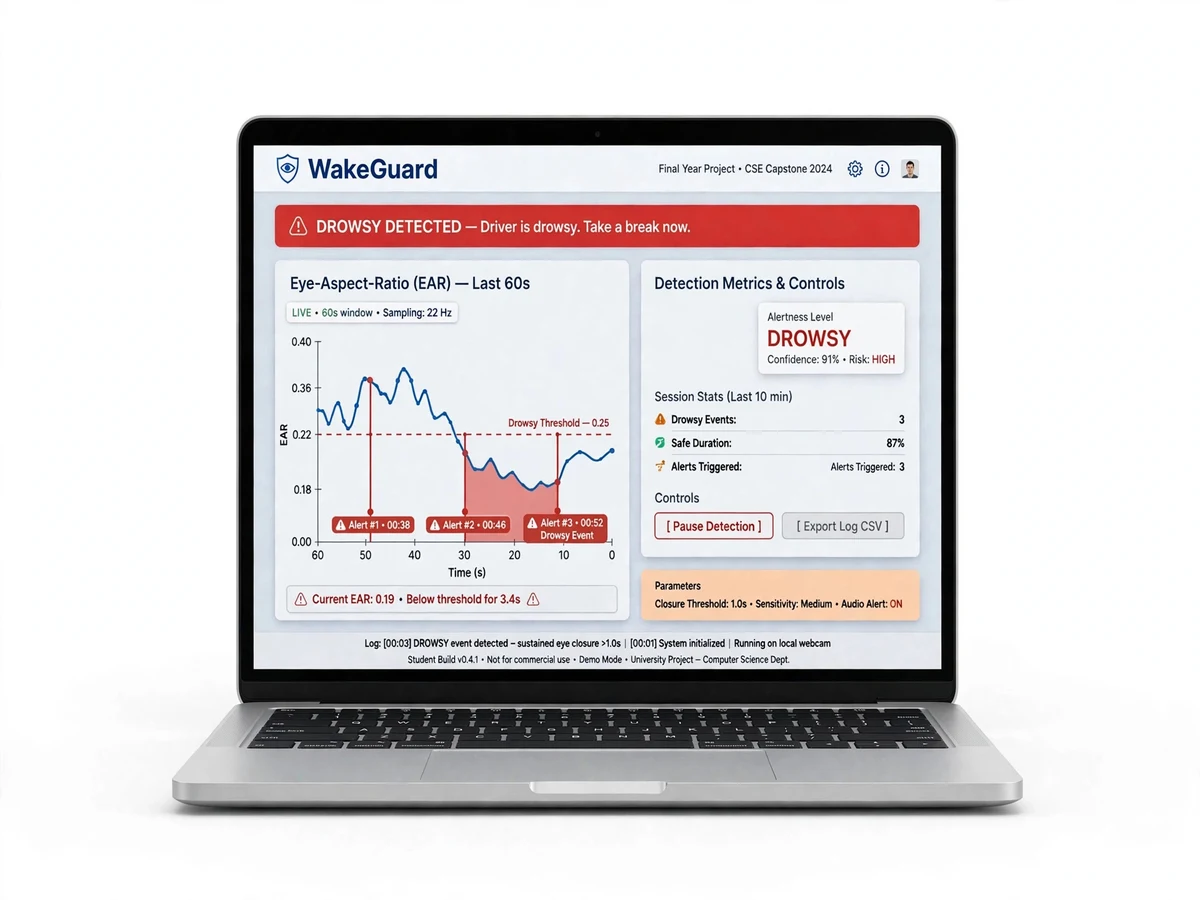
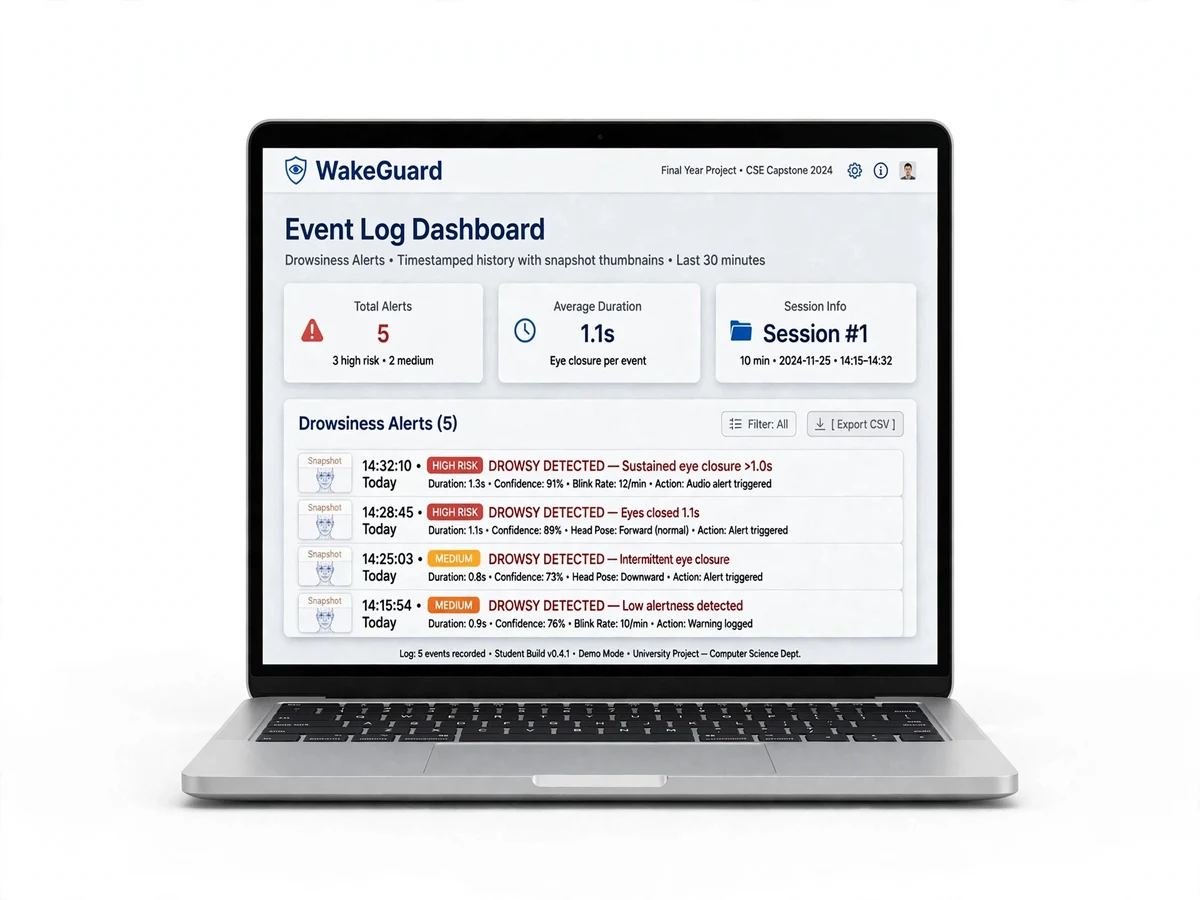
The Driver Drowsiness Detection system is a real-time road-safety final-year project that watches a driver's eyes through an ordinary webcam and raises a loud audible alarm the moment drowsiness is detected. Built with OpenCV and dlib's 68-point facial landmarks (with a MediaPipe alternative), the system computes the Eye Aspect Ratio (EAR) for every frame and triggers an alert when the eyes stay closed beyond a calibrated threshold. Branded WakeGuard, the application logs every drowsy event with timestamps for review analysis, giving you a socially impactful AI project with a live demo examiners remember.
This is a built-to-order project: every deliverable is prepared fresh for you — full source code, report PDF, PPT and viva Q&A — so nothing looks recycled.
How it works
- The webcam captures video; OpenCV detects the face each frame (HOG-based or DNN face detector).
- dlib's 68-point landmark predictor (or MediaPipe Face Mesh) marks the six key points of each eye.
- The Eye Aspect Ratio is computed per eye: vertical eye distances divided by the horizontal distance. Typical open-eye EAR ≈ 0.25–0.30; closed eye ≈ 0.15.
- A counter increments while EAR stays below the calibrated threshold and resets when eyes open — only sustained closures (e.g. 48+ consecutive frames ≈ 1.5–2 s) count as drowsiness, filtering out normal blinks.
- When the counter exceeds the limit, pygame fires a loud alarm and the event is logged with a timestamp and duration.
- The dashboard plots the live EAR curve so the examiner can see drowsiness as it happens.
Project features
- Real-time face and eye tracking from any standard webcam — no special hardware
- Eye Aspect Ratio (EAR) computed per frame from 68-point facial landmarks (dlib)
- MediaPipe Face Mesh alternative with 468 landmarks for higher precision
- Calibrated drowsiness logic: consecutive-frame counter + personalized EAR threshold
- Loud audio alert via pygame when drowsiness is confirmed (wakes the driver)
- Visual dashboard: live EAR graph, eye status indicator, alert history
- Timestamped event log (CSV) with drowsy-episode durations for report analysis
- Works with spectacles; configurable sensitivity for different face geometries
- Calibration wizard that measures your personal open-eye and closed-eye EAR values
What is included
- Complete, commented Python source code (detection, alerting, dashboard)
- Calibration wizard script for personal EAR thresholds
- Project report PDF (literature survey, EAR methodology, experiments, results, conclusion)
- PPT presentation for final review
- Viva Q&A preparation document (landmark theory, EAR derivation, threshold logic)
- Installation and run guide (dlib build notes for Windows/Linux)
Components & software requirements
- Python 3.9+ (NumPy, SciPy for the EAR computation)
- OpenCV (face detection, video capture, overlay rendering)
- dlib 68-point facial landmark model (shape_predictor_68_face_landmarks.dat)
- MediaPipe Face Mesh (alternative landmark pipeline)
- pygame (audio alarm)
- Tkinter / Streamlit dashboard (live EAR graph + event log)
- CSV logging for drowsy-event analysis