
More project photos (2)
The problem
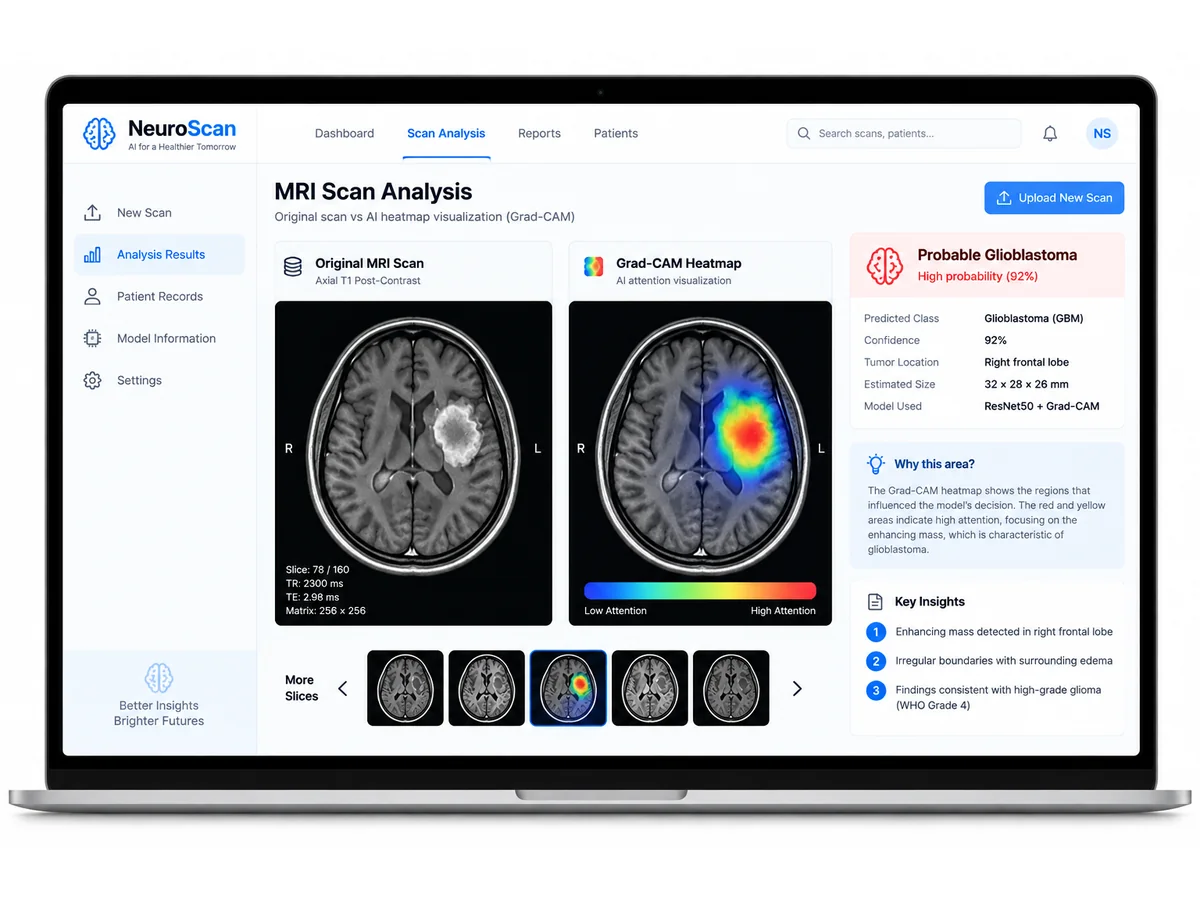
Manual inspection of MRI scans is slow, expensive, and depends heavily on specialist availability. NeuroScan demonstrates how a trained CNN can screen scans quickly while remaining interpretable — a point that impresses examiners and makes viva answers easy. The project ships with a working upload-and-diagnose Flask web app: drop in an MRI image, get the predicted class with a confidence score plus the Grad-CAM overlay showing the tumor region the model focused on.
How it works
- MRI scans are preprocessed — resized to a fixed input size, normalized, and augmented (rotation, flip, zoom) to improve generalization.
- A convolutional neural network (custom CNN, with a VGG16 transfer-learning variant) is trained on a labeled public MRI dataset to classify scans as tumor or non-tumor.
- At inference time, the trained model predicts the class of an uploaded scan along with a confidence score.
- Grad-CAM back-propagates the class score to the last convolutional layer, generating a heatmap of the regions that most influenced the decision — the visual explanation an examiner asks about.
- The NeuroScan web app presents the original scan, the Grad-CAM overlay, the predicted class, and the confidence score in a clean results dashboard.
Project features
- CNN classifier for brain tumor detection on MRI scans (tumor vs. non-tumor)
- Transfer-learning option (VGG16 backbone) plus a custom CNN baseline for comparison
- Grad-CAM heatmaps that visually explain every prediction — the key differentiator
- Upload-and-diagnose NeuroScan web app: drag in a scan, get class + confidence + overlay
- Model training pipeline with data augmentation, normalization, and checkpointing
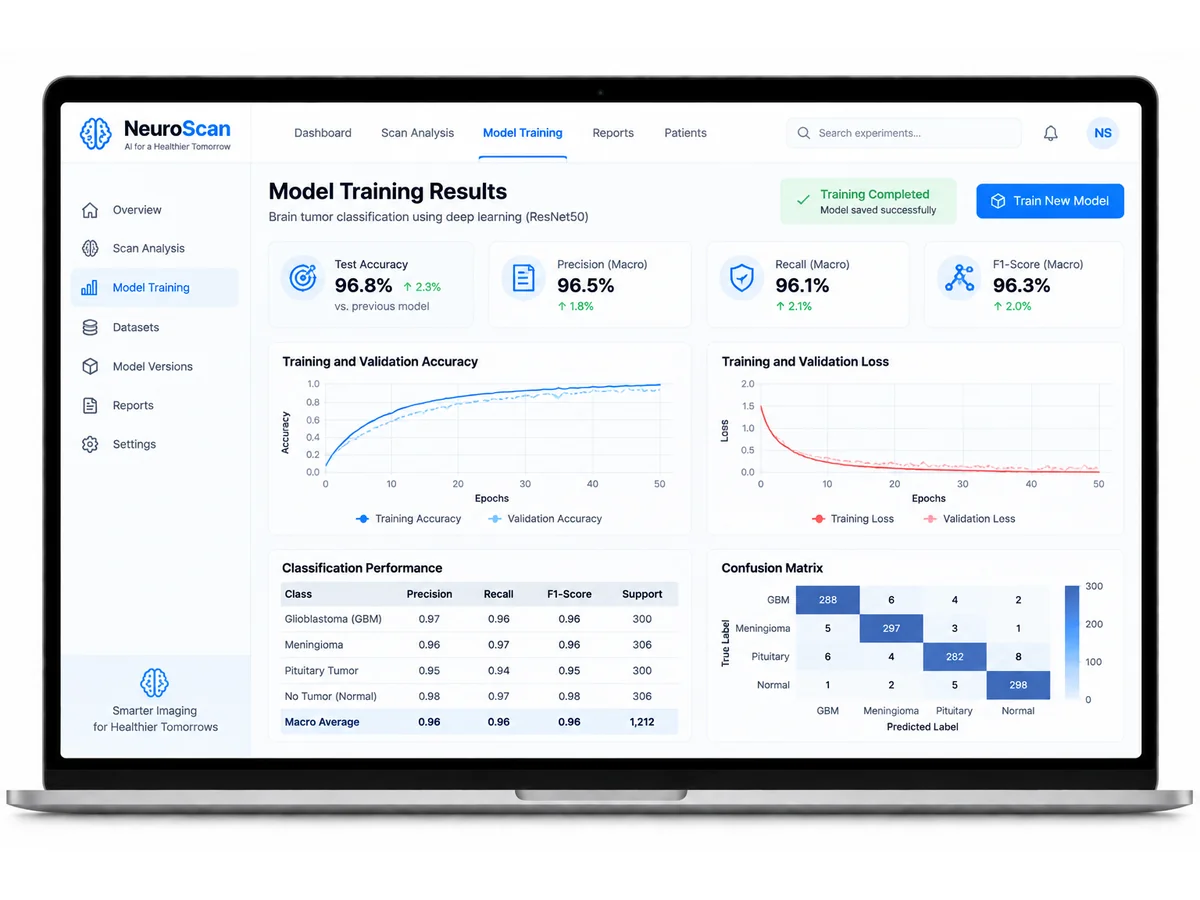
- Accuracy / precision / recall / F1 metrics and confusion-matrix evaluation
- Side-by-side original vs. heatmap view for presentations and report figures
- Clean, documented, runnable codebase with a requirements file
What is included
- Full source code (training scripts, Grad-CAM module, Flask app)
- Trained model weights for instant demo without retraining
- Complete project report PDF (with architecture diagrams and results)
- Project PPT for your final presentation
- Viva Q&A document covering CNN, transfer learning, Grad-CAM, and medical-imaging questions
- Dataset setup guide with public dataset links
- Installation and run instructions
Limitations & prerequisites
- This is an academic demonstration project, NOT a clinical diagnostic tool — it is not validated for medical use and must never be used for real diagnosis.
- Performance depends on the public training dataset; accuracy on unseen scanners or protocols may differ.
- Binary classification (tumor vs. non-tumor) is implemented; multi-class tumor-type classification is a listed extension.
- Training a deep CNN benefits from a GPU; CPU-only machines can run the demo with the provided trained weights.
Components & software requirements
- Python, TensorFlow/Keras, CNN (custom architecture + VGG16 transfer learning), Grad-CAM, Flask web app, NumPy, OpenCV, scikit-learn, Matplotlib